External radiator cooling
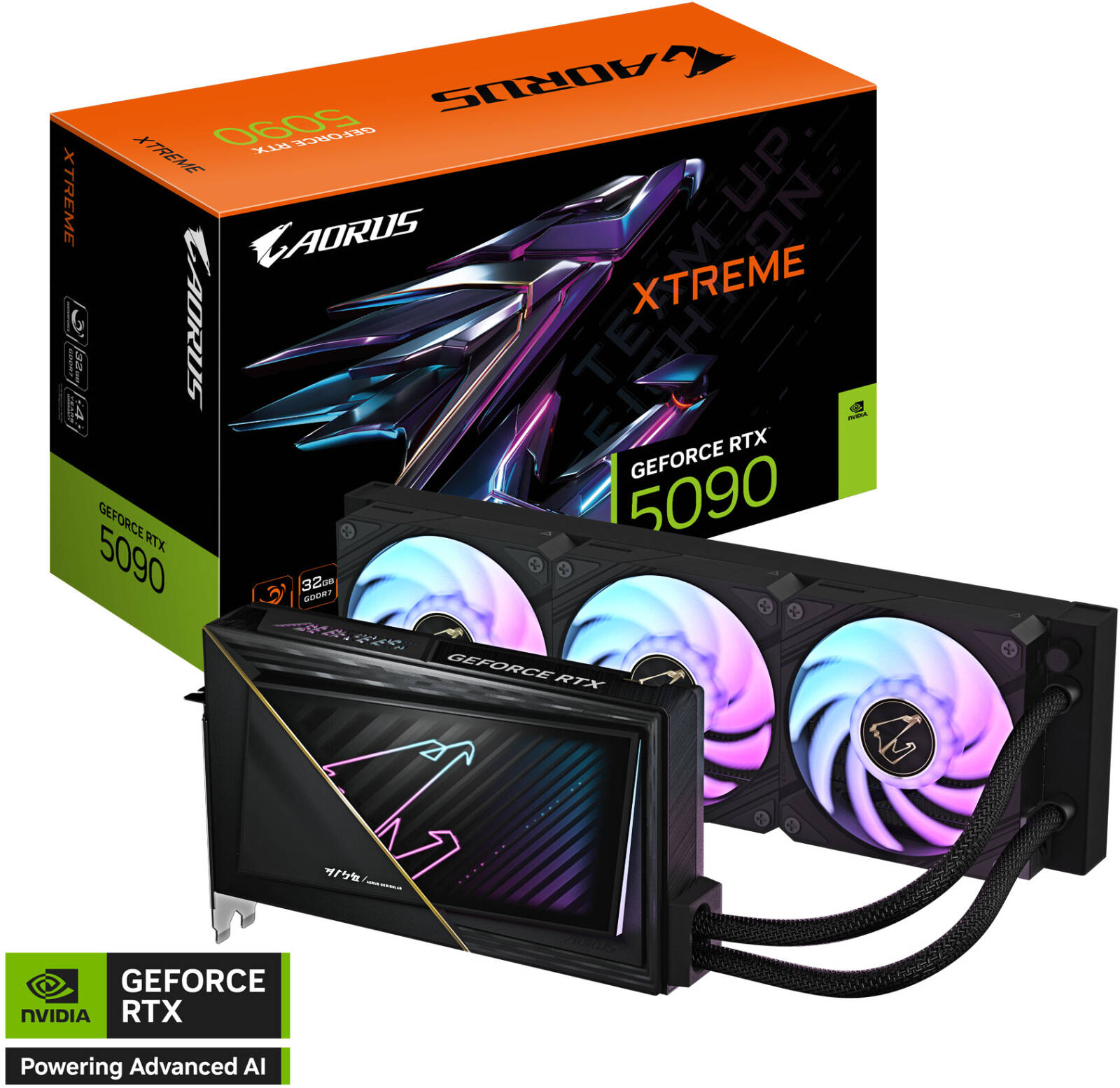
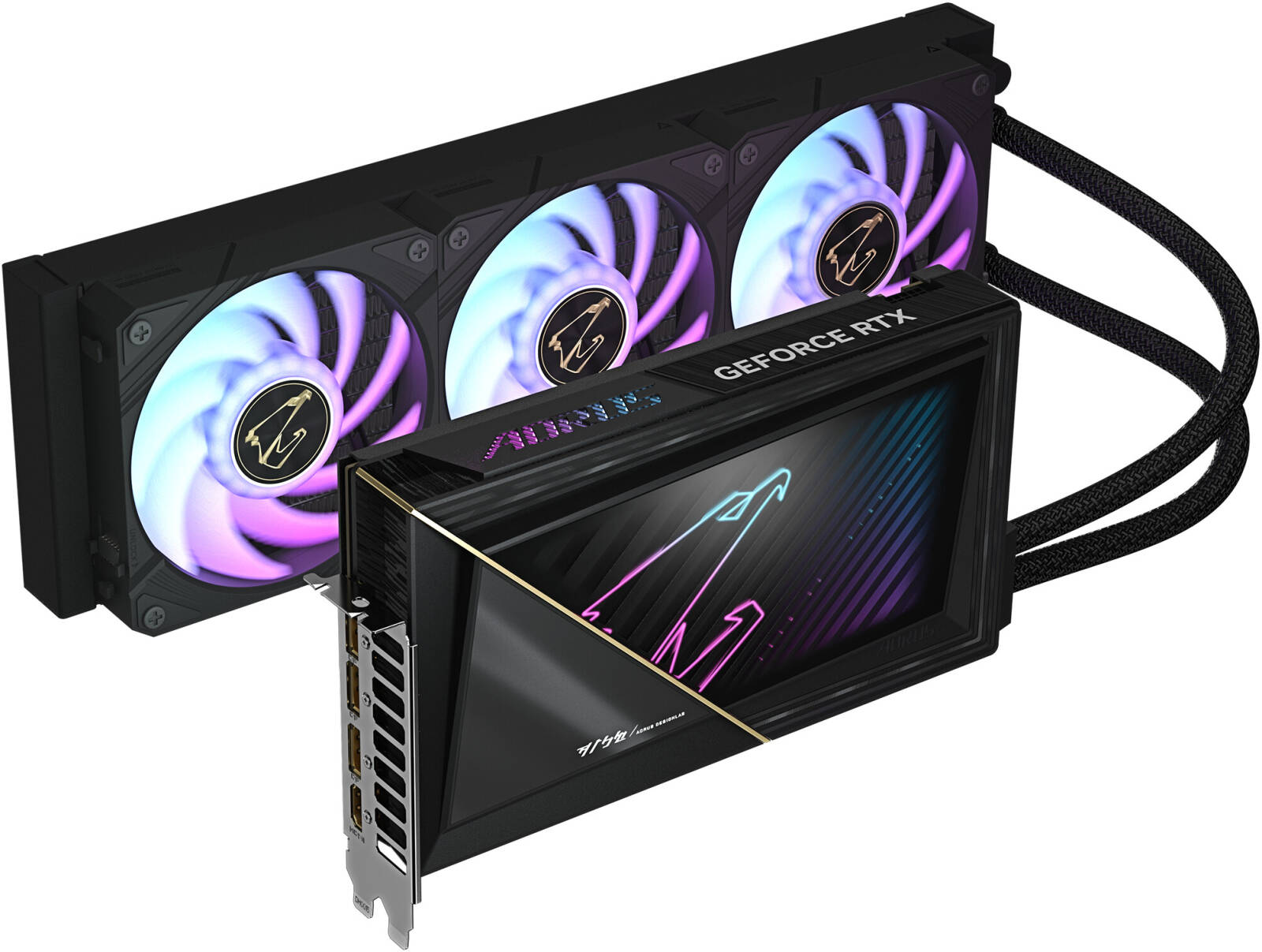
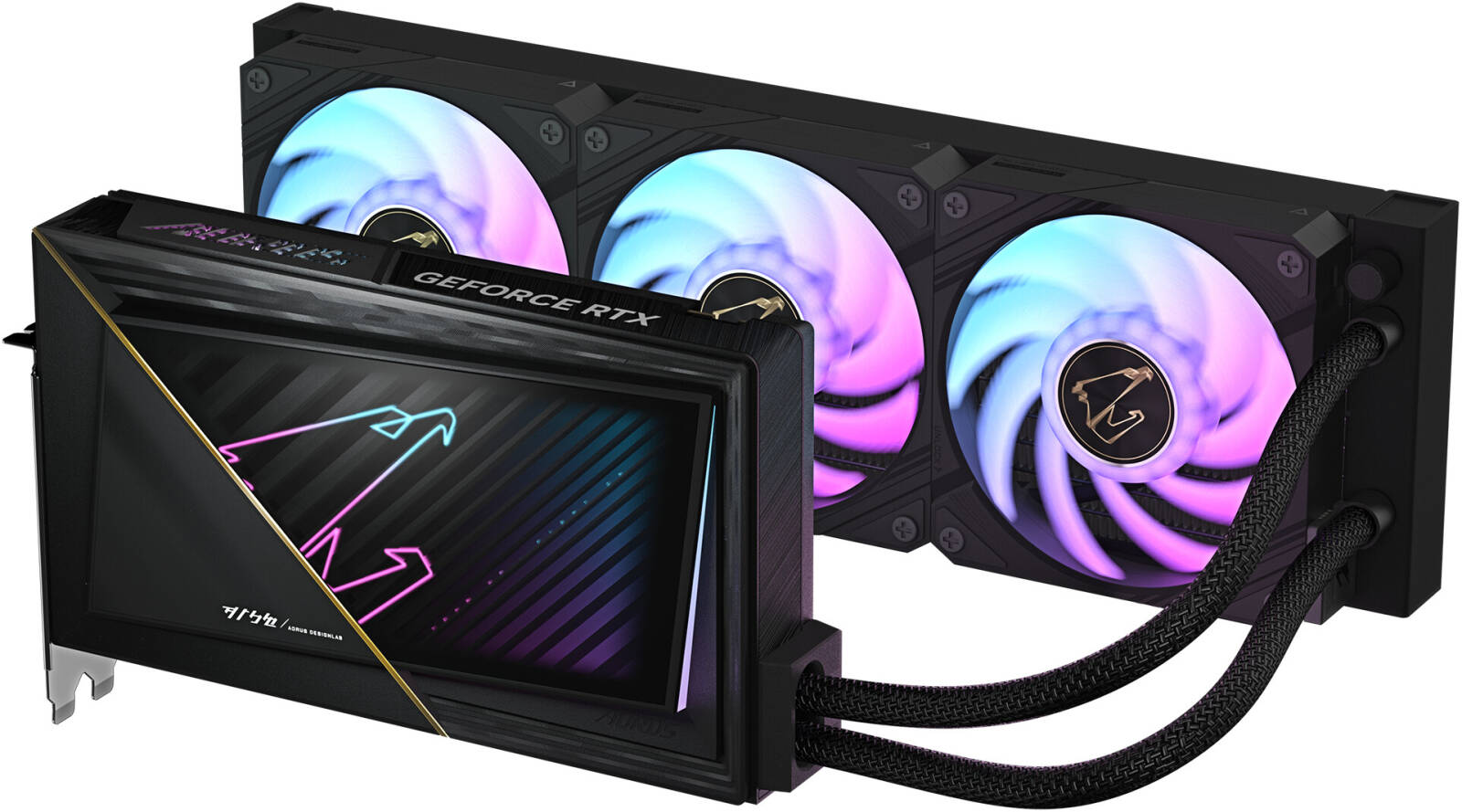
The manufacturer specifies a 360 mm aluminium radiator with three 120 mm ARGB fans. Check the intended mounting position and the combined radiator-and-fan space against the actual case layout.
$3,279.45
GV-N5090AORUSX W-32GD identifies the AORUS GeForce RTX 5090 XTREME WATERFORCE 32GB GDDR7 card with an all-in-one liquid cooler. Check radiator mounting, tube routing, 16-pin power cabling and the complete offered assembly.
Related products, categories and research.
AORUS RTX 5090 XTREME WATERFORCE, identified by GV-N5090AORUSX W-32GD, is the 32GB GDDR7 desktop graphics card with an all-in-one liquid-cooling assembly. Match the W code when specifying a build. The separate WB water-block version has different cooling-integration requirements.
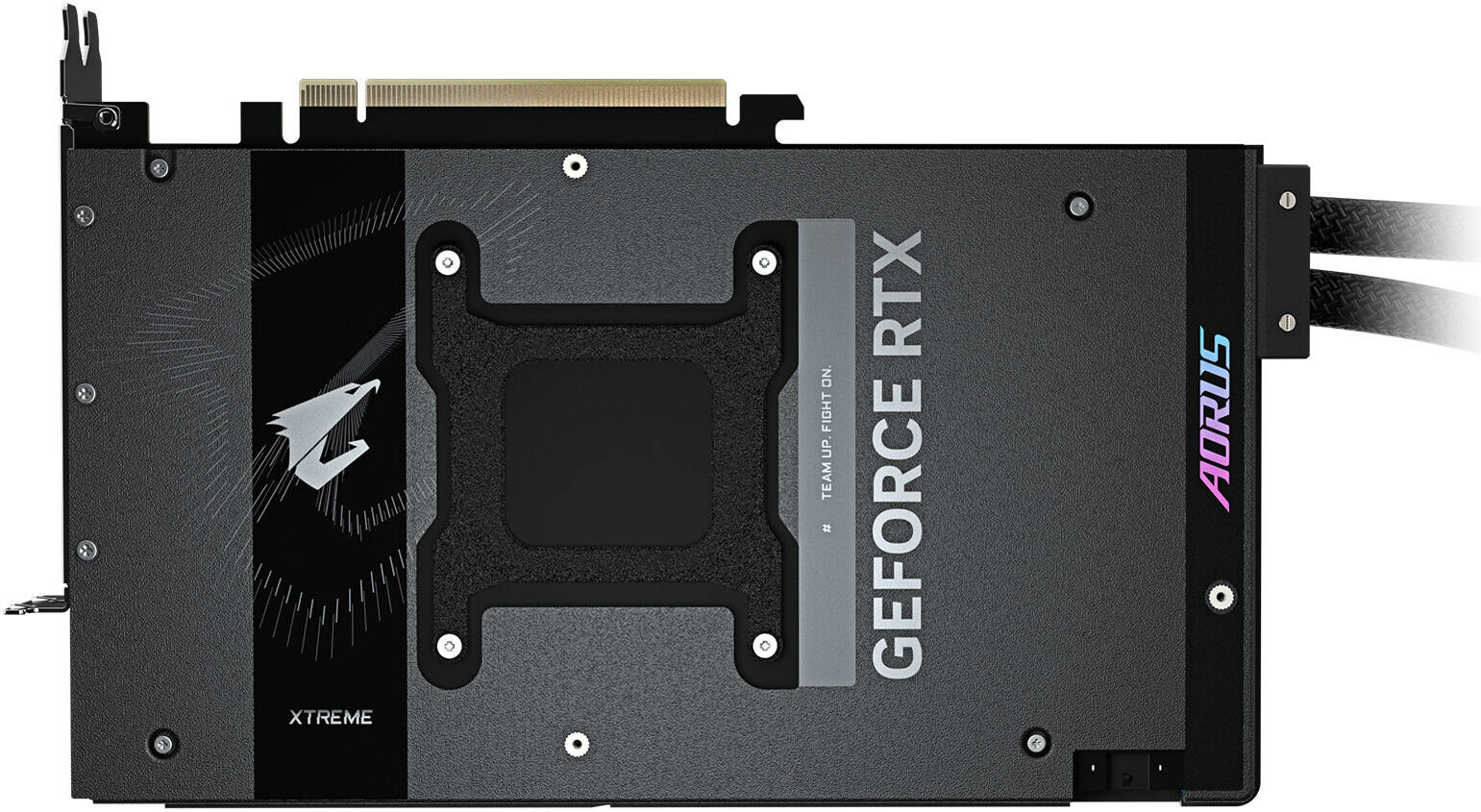
The card body measures 245 × 146 × 36 mm, but that is not the complete installation envelope. Plan the external radiator, fans, tube route and power connection alongside existing CPU cooling and other components.
The manufacturer specifies a 360 mm aluminium radiator with three 120 mm ARGB fans. Check the intended mounting position and the combined radiator-and-fan space against the actual case layout.
The published tube length is 460 mm with a ±1.5% tolerance. Plan a route that reaches the mounting location without strain, accounting for other installed hardware.
The listed core clock is 2655 MHz against a 2407 MHz reference figure. These are published clock profiles; sustained frequency varies with workload and operating conditions.
Check the case documentation for the intended radiator position and inspect the actual build layout. A case listing support for a 360 mm radiator does not establish clearance with every motherboard, memory kit, CPU cooler or storage arrangement. Measure the available space with those components in their planned positions.
Include the installed fan stack, mounting access and the area needed for the tube connections. Confirm that the selected location leaves access to other components that may need servicing. If the case already contains a CPU radiator, plan both cooling assemblies together rather than assuming the remaining mounting position will be usable.
The tubes must reach the selected location without pulling on the card or radiator connections. The published tube length is a component dimension, not a guarantee that every route around the motherboard will fit. Compare the actual route and connection positions before committing to a chassis or mounting layout.
Evaluate this card for games or creative software that supports the GeForce RTX 5090 and the planned driver environment. Match memory needs, display requirements and the rest of the system to the workload. A 32GB memory capacity does not guarantee application certification or a particular performance result.
Browse other GIGABYTE graphics cards as distinct alternatives. Air-cooled MASTER, WATERFORCE AIO and WB custom-loop designs require different space and cooling arrangements.
| Manufacturer code | GV-N5090AORUSX W-32GD |
|---|---|
| GPU | GeForce RTX 5090 |
| Memory | 32 GB GDDR7; 512-bit; 28 Gbps |
| Core clock | 2655 MHz |
| CUDA cores | 21760 |
| Interface | PCI Express 5.0 |
| Card body dimensions | 245 × 146 × 36 mm |
| Radiator | 360 mm aluminium |
| Radiator fans | 3 × 120 mm ARGB |
| Tube length | 460 mm ± 1.5% |
| Recommended system PSU | 1000 W |
| Power connector | 1 × 16-pin |
| Outputs | 3 × DisplayPort 2.1b; 1 × HDMI 2.1b |
| Simultaneous displays | Up to 4 |
A nominal 360 mm radiator designation is not a full mounting-envelope measurement. Check screw positions, radiator and fan thickness, access for installation and nearby motherboard or CPU-cooling components. Follow the exact model’s installation instructions for mounting and tube handling.
The 1000 W figure is a system PSU recommendation, not card-only power consumption. Assess the actual supply, approved cable arrangement and other components. Allow room around the 16-pin connector and avoid placing strain on power cables or the cooling assembly.
Identify the actual PSU model and the cable or adapter arrangement proposed for the build. The manufacturer’s reference adapter listing does not prove that this accessory accompanies the offered card or that an existing PSU cable is suitable. Match the complete installation instructions and the PSU maker’s supported cabling before assembly.
List each intended monitor and connection type when planning the system. Three DisplayPort outputs and one HDMI output provide different socket choices; check the monitor inputs and the selected cables for the desired display mode. Do not treat the four-display figure as a performance guarantee for a particular game, rendering project or multi-monitor workload.
Ask for the actual card label and photographs of the radiator, fan frames, tube connections and accessible surfaces. A reference image of illuminated fans does not show the supplied unit’s operating history or prove cooling-system function. Any available test record should identify the card and describe the scope and date of the check.
Distinguish a display-output check from a workload or cooling-system check. Confirm which checks were performed, which accessories were used and what remains to be established during installation. Do not infer tested condition from the model name, lighting effects or a manufacturer registration promotion.
The manufacturer’s reference accessories include a quick guide, warranty registration material, a 12V-2×6 to four PCIe 8-pin adapter, an AORUS identity sticker and an AORUS metal sticker. Confirm the actual packing list, mounting hardware and complete card-to-radiator assembly before ordering.
Request matching label photographs and available functional-test information, including cooling-system operation. Confirm the offered condition and written warranty terms. Reference images and manufacturer registration promotions do not establish this individual card’s history or eligibility.
Use the official GV-N5090AORUSX W-32GD specifications and GV-N5090AORUSX W-32GD feature and support page. These links are web references with support navigation, not direct PDF manuals. Match the W model and operating system before choosing installation documents, software or drivers.
No. The W code identifies the all-in-one assembly described here. Match the full model code and actual label.
That checks only the card body. Include the 360 mm radiator, fan stack, tube route and power connection in the fit check.
Confirm the actual packing list and approved PSU arrangement in the offer rather than relying on the manufacturer’s reference list.
Add AI Robot Supplier as a preferred source on Google.
Tell us what you need — we respond within one business day.