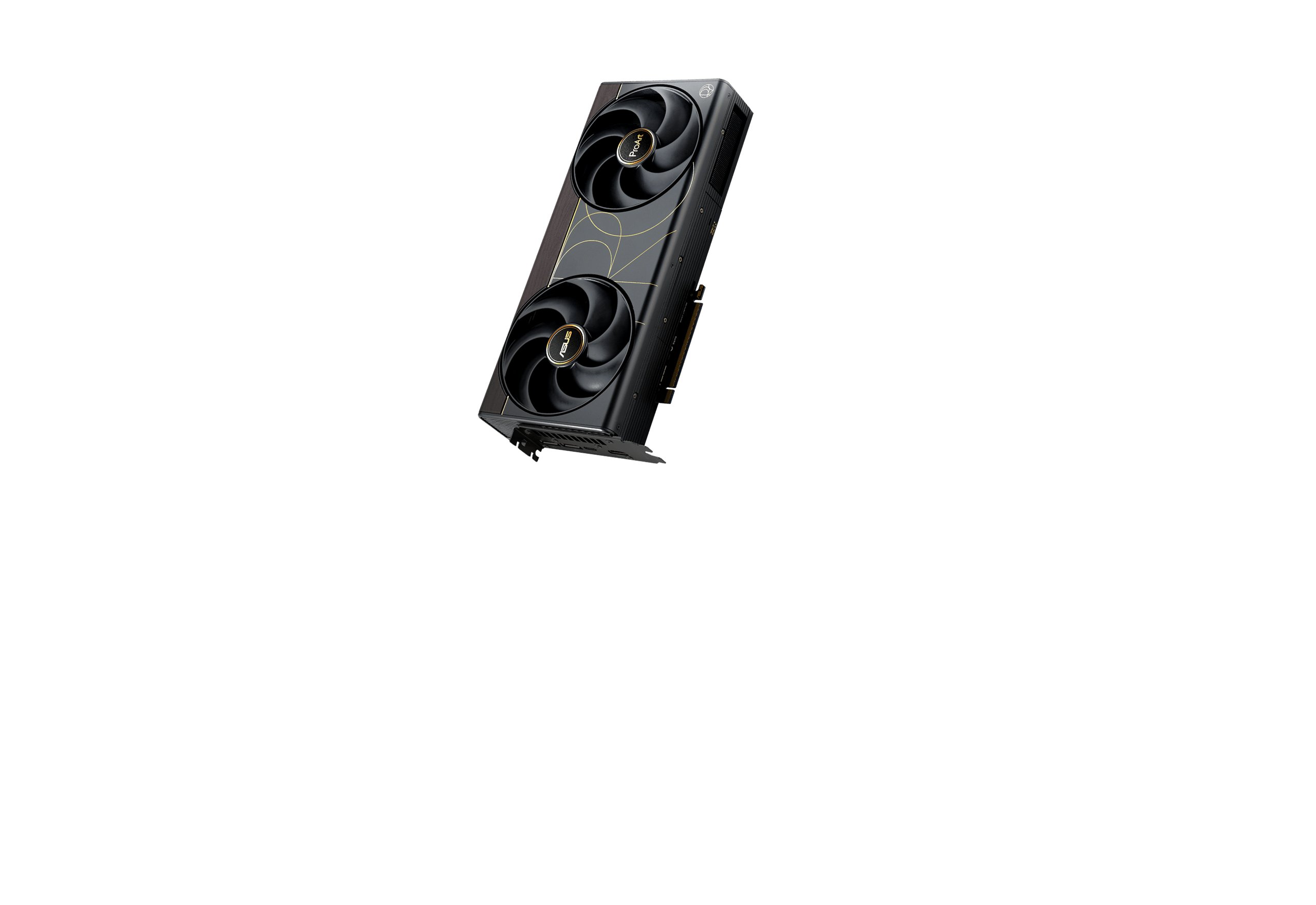
ASUS ProArt GeForce RTX 5090 32GB
$2,699.99
ASUS ProArt RTX 5090 is a creator-focused GeForce RTX 5090 built in a comparatively compact 2.5-slot, 304 mm design. The PROART-RTX5090-O32G combines 32GB GDDR7, 21,760 CUDA cores, up to 2512 MHz in OC mode, dual axial fans, vapor-chamber cooling and a useful USB-C display output alongside DisplayPort and HDMI.
It is especially relevant to compact creator workstations that need RTX 5090-class compute without the size of many flagship gaming boards. Check the live ASUS ProArt RTX 5090 price above and verify PSU, chassis, included accessories, warranty and delivery terms in the written B2B quotation.
Explore Related
Related products, categories and research.
ASUS ProArt RTX 5090 price, specifications and buying overview
The ASUS ProArt RTX 5090 is ASUS’s compact creator-oriented implementation of NVIDIA’s flagship GeForce RTX 5090. ASUS describes it as its first 2.5-slot RTX 5090 and uses two large Axial-tech fans, a vapor chamber, liquid-metal thermal interface and double-vented backplate to fit high-end Blackwell graphics into a 304 × 140 × 50 mm card. The official PROART-RTX5090-O32G specification lists 32GB GDDR7, 21,760 CUDA cores, a 512-bit memory interface, up to 2512 MHz in OC mode and a USB-C display connection in addition to DisplayPort 2.1b and HDMI 2.1b.
Key ASUS ProArt RTX 5090 specifications
| Model | PROART-RTX5090-O32G |
|---|---|
| GPU | GeForce RTX 5090 |
| CUDA cores | 21,760 |
| Memory | 32GB GDDR7 |
| Memory speed / bus | 28 Gbps / 512-bit |
| Clock | 2482 MHz default boost; 2512 MHz OC mode |
| Dimensions | 304 × 140 × 50 mm |
| Slot width | 2.5-slot; SFF-Ready compatible |
| Outputs | 2 × DisplayPort 2.1b, 1 × HDMI 2.1b, 1 × USB-C |
| Recommended PSU | 1000W on ASUS product guidance |
| Software | GPU Tweak III, MuseTree, NVIDIA Game Ready and Studio drivers |
ASUS ProArt RTX 5090 product overview
The ASUS ProArt RTX 5090 stands out because RTX 5090 boards are often physically large. Buyers searching for ProArt RTX 5090 dimensions, cost or “for sale” are commonly trying to solve an integration problem as much as a performance problem: they need 32GB RTX 5090 capability in a workstation where a 3.8-slot gaming flagship may be too large. The 2.5-slot form factor, 304 mm length, restrained ProArt design and USB-C output make this board unusually well suited to creator desks, compact workstations and systems with professional peripheral/display requirements.
Core features and capabilities
- Compact 2.5-slot RTX 5090: At 304 × 140 × 50 mm, this is substantially smaller than many premium RTX 5090 designs while retaining the 32GB flagship GPU configuration.
- Creator-focused cooling: ASUS combines two large Axial-tech fans with a vapor chamber, phase-change/liquid-metal thermal design and double-vented backplate to support the compact footprint.
- USB-C display output: The ProArt board includes USB-C in addition to DisplayPort and HDMI, useful for certain creator monitors and display workflows.
- 32GB GDDR7: The full 32GB memory capacity is useful for large creative projects, 3D rendering and GPU-accelerated AI/compute workloads that fit the GeForce software stack.
- Studio-driver support: ASUS lists both NVIDIA Game Ready and Studio drivers, allowing buyers to choose the driver branch appropriate to gaming or creator applications.
- SFF-Ready compatibility: ASUS marks the board SFF-Ready Compatible, though the complete chassis still needs to meet its 304 mm length, 140 mm height, 50 mm thickness and power/cooling requirements.
Detailed technical specifications
The following table summarizes manufacturer-aligned data for the exact product configuration covered on this page.
| ASUS model | PROART-RTX5090-O32G |
|---|---|
| GPU | NVIDIA GeForce RTX 5090 |
| AI performance | 3352 TOPS |
| Bus | PCI Express 5.0 |
| Video memory | 32GB GDDR7 |
| Default boost clock | 2482 MHz |
| OC mode | 2512 MHz |
| CUDA cores | 21,760 |
| Memory speed | 28 Gbps |
| Memory interface | 512-bit |
| HDMI | 1 × HDMI 2.1b |
| DisplayPort | 2 × DisplayPort 2.1b |
| USB-C | 1 × USB-C display output |
| Maximum displays | 4 |
| Dimensions | 304 × 140 × 50 mm |
| Slot | 2.5-slot |
| SFF Ready | Compatible |
| Recommended PSU | 1000W |
| Software | ASUS GPU Tweak III, MuseTree, NVIDIA Game Ready and Studio drivers |
Performance and use-case guidance
The ASUS ProArt RTX 5090 targets high-end creator and mixed professional/enthusiast workloads: GPU rendering, 3D modeling, video effects, high-resolution editing, AI-assisted creative applications and 4K gaming. Its defining advantage over larger RTX 5090 cards is not a guarantee of higher benchmark performance; it is the ability to package RTX 5090-class resources into a smaller 2.5-slot design. Sustained performance will still depend on chassis airflow, ambient temperature, power delivery, driver branch and workload.
Compatibility, software and connectivity
Before buying, measure the chassis against the official 304 × 140 × 50 mm dimensions and confirm sufficient clearance around the two-fan cooler. ASUS marks the board SFF-Ready Compatible, but that designation does not override power, cable-bend and airflow requirements. ASUS product guidance lists a 1000W recommended PSU. For software, ASUS lists GPU Tweak III and MuseTree plus NVIDIA Game Ready and Studio drivers. Display compatibility includes DisplayPort 2.1b, HDMI 2.1b and USB-C, with a maximum of four simultaneous displays.
Applications
- Compact high-end creator workstations
- 3D rendering and animation
- Video editing, color and effects workloads
- AI-assisted media and local GPU workflows within 32GB VRAM
- CAD/visualization where GeForce drivers are acceptable
- 4K gaming and mixed creator/gaming systems
- USB-C display-centric creator setups
Comparison with closely related graphics cards
Compared with the ASUS ROG Astral RTX 5090 OC, the ASUS ProArt RTX 5090 is dramatically more compact: 304 × 140 × 50 mm and 2.5 slots versus 357.6 × 149.3 × 76 mm and 3.8 slots for the Astral OC. The ProArt also includes USB-C and is tuned around creator-oriented compactness, while the Astral uses a four-fan cooling system and higher 2580/2610 MHz clock profile for an ultra-premium gaming/enthusiast design. Both use 32GB GDDR7 and the same 21,760-core RTX 5090 GPU class.
What is included
ASUS lists the following accessories for PROART-RTX5090-O32G: Speedsetup manual, ProArt graphics-card holder, ASUS Velcro hook-and-loop strap, Thank You card and a 1-to-4 adapter cable. The commercial quotation should still confirm the exact supplied pack because regional packaging and open-box/used supply channels can differ.
Important limitations and buyer considerations
The compact design does not make this a low-power card. Buyers still need a high-capacity PSU, correct power cabling and strong chassis airflow. A 304 mm card can also be too long for some true small-form-factor cases even though ASUS labels it SFF-Ready Compatible. Manufacturer product documentation checked for this model did not publish a card weight, so freight or support-load planning that depends on exact weight should use an exact-unit confirmation. The ProArt positioning also does not convert GeForce into RTX PRO: buyers who need professional certification, ECC memory or much larger VRAM should compare NVIDIA RTX PRO workstation GPUs.
Warranty reference
ASUS publishes a limited graphics-card warranty policy and its global support material lists a 36-month product warranty for graphics cards, subject to regional terms, proof of purchase and applicable exclusions. The written quotation should identify the warranty that applies to the exact supplied unit and destination, especially for cross-border or non-standard supply channels.
Who should buy this graphics card?
Choose the ASUS ProArt RTX 5090 when you want full RTX 5090 32GB capability but need a more compact, creator-focused board with USB-C and a 2.5-slot footprint. Choose a ROG Astral-style 5090 when maximum cooling hardware and factory clock profile matter more than size; choose RTX PRO when ECC, professional workstation drivers/certification or more than 32GB VRAM is the requirement.
Authoritative manufacturer resources
Use these manufacturer pages to verify model-specific specifications, support and warranty information before deployment.
- ASUS ProArt RTX 5090 product page
- ASUS PROART-RTX5090-O32G technical specifications
- ASUS graphics-card warranty information
ASUS ProArt RTX 5090 technical quick answers
What are ASUS ProArt RTX 5090 dimensions?
304 × 140 × 50 mm, using a 2.5-slot form factor.
How much memory does ASUS ProArt RTX 5090 have?
32GB GDDR7 on a 512-bit interface.
Does ASUS ProArt RTX 5090 have USB-C?
Yes. ASUS lists one USB-C display output, plus two DisplayPort 2.1b and one HDMI 2.1b output.
What PSU is recommended for ASUS ProArt RTX 5090?
ASUS product guidance lists a 1000W recommended PSU; the complete system configuration determines final PSU sizing.
Detailed FAQs
Is ASUS ProArt RTX 5090 SFF compatible?
ASUS labels it SFF-Ready Compatible. You must still verify 304 × 140 × 50 mm clearance, power-cable bend radius and airflow against the exact chassis.
What is the ProArt RTX 5090 model number?
PROART-RTX5090-O32G.
Is it smaller than ROG Astral RTX 5090?
Yes. The ProArt is 2.5-slot and 304 mm long; the ROG Astral OC is 3.8-slot and 357.6 mm long.
Is ProArt RTX 5090 an RTX PRO workstation card?
No. It is a GeForce RTX 5090 creator-oriented board. RTX PRO products use a different professional workstation product stack.
What accessories does ASUS list?
Speedsetup manual, ProArt graphics-card holder, ASUS Velcro strap, Thank You card and a 1-to-4 adapter cable.
Where should I check ASUS ProArt RTX 5090 price?
Use the live price displayed on this product page and request a written quotation for quantity, destination, warranty and supplied configuration.
Relevant internal links
- Browse all Graphic Cards
- Compare ASUS ROG Astral RTX 5090 OC
- Compare Gigabyte RTX 5090 Gaming OC 32G
Buy ASUS ProArt RTX 5090 / request a B2B quotation
For current ASUS ProArt RTX 5090 price, quantity purchasing, destination-specific freight or a formal commercial offer, use the live price shown on this page and request a quotation. Include quantity, delivery country, company details and any required configuration or purchasing deadline. The written quotation should confirm exact model, condition, supplied accessories, warranty, price, currency, availability and delivery terms before order approval.
You can also contact AI Robot Supplier for model verification or procurement questions. No accessory, warranty term or stock condition should be assumed unless it appears in the final written offer.