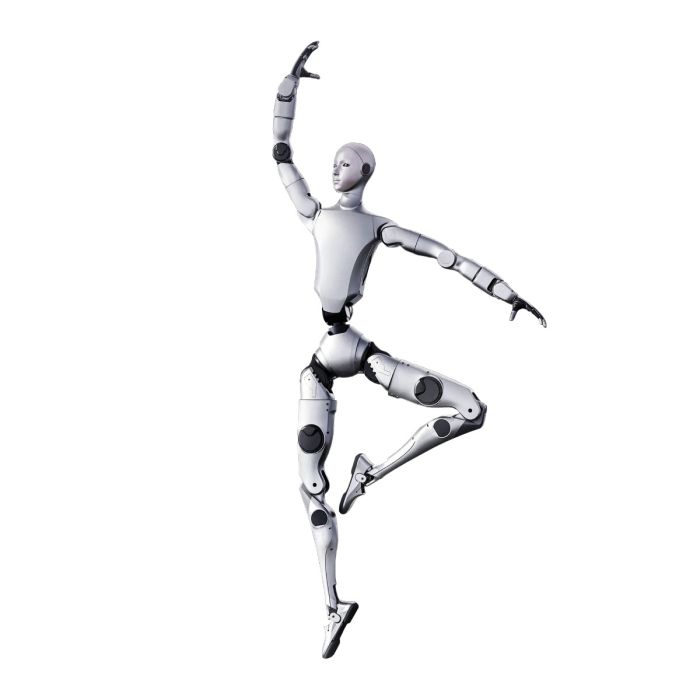
Unitree H2 EDU Humanoid Robot
$60,539.30
The Unitree H2 EDU is the development edition of Unitree’s full-size H2 humanoid. It combines 31 body degrees of freedom with Intel platform and user-development computing. The manufacturer supports secondary development on the EDU edition; dexterous hands and additional AI computing are configuration options.
Explore Related
Related products, categories and research.
Unitree H2 EDU humanoid development platform
The Unitree H2 EDU is the development edition of the H2 humanoid. Unitree distinguishes it from the standard H2 through secondary development support and an additional user-development computer. This makes the edition relevant to teams building and evaluating their own robotics applications rather than relying only on supplied demonstrations.
The model is H2 EDU, not H2-X EDU or the earlier H1-2. Those platforms have separate mechanical and computing specifications. Match the delivered model identification and software access to the experiment before preparing a control or perception pipeline.
Unitree H2 EDU humanoid robot specifications
| Body degrees of freedom | 31: six per leg, seven per arm, three at the waist and two at the head |
|---|---|
| Standing dimensions | 1,820 × 456 × 218 mm |
| Weight with battery | Approximately 70 kg |
| Published maximum joint torque | Arm 120 N·m; leg 360 N·m |
| Published arm load | Approximately 7 kg rated and 15 kg peak; configuration and scenario limits apply |
| Battery | 15 Ah / 0.972 kWh; maximum voltage 75.6 V |
| Published battery life | About three hours; actual duty cycle varies |
| Basic EDU computing | Intel Core i5 for platform functions and Core i7 for custom development |
| Perception | Wide-field binocular camera |
| Wireless connectivity | Wi-Fi 6 and Bluetooth 5.2 |
Joint torque, carried load and battery life describe different aspects of operation. Peak values should not be treated as continuous performance at every posture. Evaluate the tool mass, reach, motion and balance requirements together when designing a manipulation experiment.
Unitree H2 EDU research robot development
For Unitree H2 EDU, keeping platform functions separate from user development helps define where custom applications should run. Establish the supported command interfaces, data streams and software versions before deciding whether an application belongs on the robot or an external workstation. Include logging and a repeatable starting procedure in the development plan.
Unitree’s official store states that secondary development is supported only on the EDU version. Confirm the applicable development manual and delivered access with the equipment schedule. This distinction does not mean that every low-level interface, training pipeline or third-party software package is automatically supported.
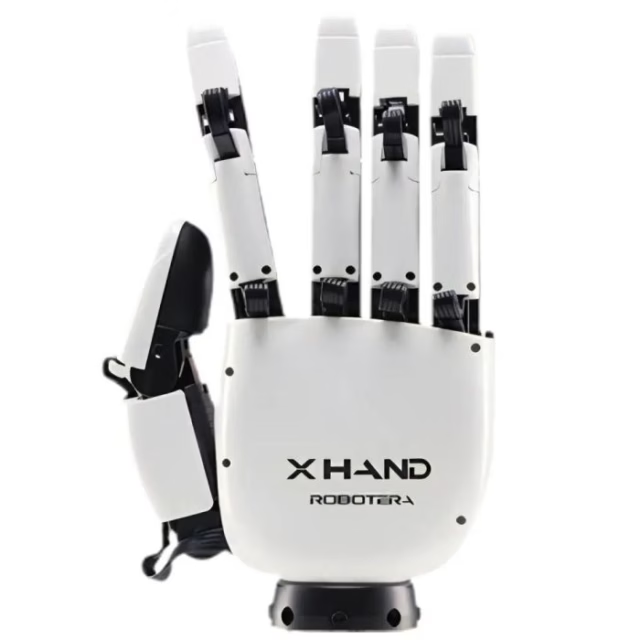
Unitree H2 EDU hands and optional AI modules
The EDU configuration offers multiple dexterous hand choices and optional high-power computing modules, including Thor-based options. The advertised 2,070 TOPS figure should not be assumed to describe every supplied EDU robot. Record the exact module and hand model in the quotation before planning memory, power or software dependencies.
A hand choice affects grasp geometry, contact behaviour and the commands needed by the application. Start from the objects and actions the project needs to demonstrate. Determine whether the intended task requires fingers, a different end effector or simply body-motion control, then specify the appropriate configuration.
Unitree H2 EDU education robot setup
A binocular camera provides a basis for visual experiments, but the quality of an application depends on the scene, calibration and processing pipeline. Check lighting, object surfaces and camera visibility in the intended workspace. Define the measurement method before comparing perception or motion approaches.
Prepare a controlled operating area and a supervised commissioning procedure for the full-size platform. Record how experiments start, stop and recover from an interrupted run. A demonstration of a motion does not establish a finished autonomous service or a validated production process.
Unitree H2 EDU price and buying questions
Are the optional hands and AI module included?
Only the confirmed equipment schedule establishes the supplied options. The manufacturer’s comparison shows choices rather than one universal EDU package. Check the charger, controller, battery and software deliverables individually.
Does the three-hour figure guarantee experimental runtime?
No. Compute load, motion, carried equipment and the operating procedure affect energy use. Plan charging and session lengths around a representative workload rather than treating the published estimate as a guaranteed shift.
Where can the model distinctions be checked?
Consult the official H2 model comparison, Unitree’s EDU development notice and manufacturer documentation centre. Compare other humanoid robots when selecting a different size or development platform.
Related products
Recently viewed
Add AI Robot Supplier as a preferred source on Google.