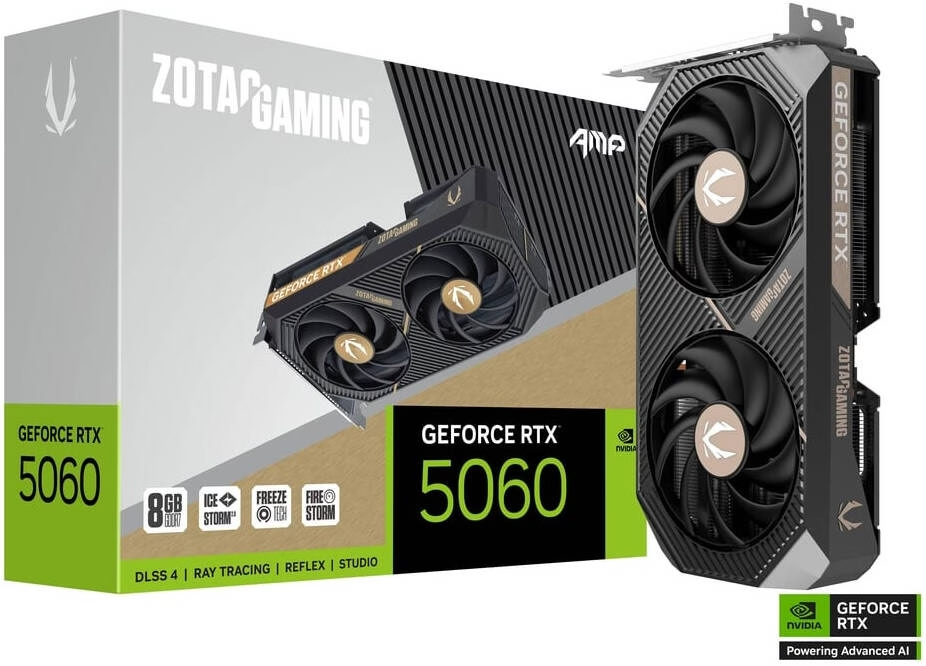
ZOTAC RTX 5060 AMP 8GB GDDR7 Graphics Card | ZT-B50600F-10M
$268.40
ZOTAC RTX 5060 AMP, ZT-B50600F-10M, pairs 8GB GDDR7 with a 2550 MHz boost clock in a 220.5 mm dual-fan board. Check its two-slot dimensions, one 8-pin input and 600W PSU recommendation for the intended desktop.
Explore Related
Related products, categories and research.
RTX 5060 AMP with 8GB GDDR7
The ZOTAC RTX 5060 AMP is model ZT-B50600F-10M, a factory-overclocked graphics card with 8GB GDDR7 memory and a compact two-slot cooler. Its published boost clock is 2550 MHz. Use the complete F-10M reference when matching this listing to documentation; similarly named AMP boards can carry a different part-number suffix.
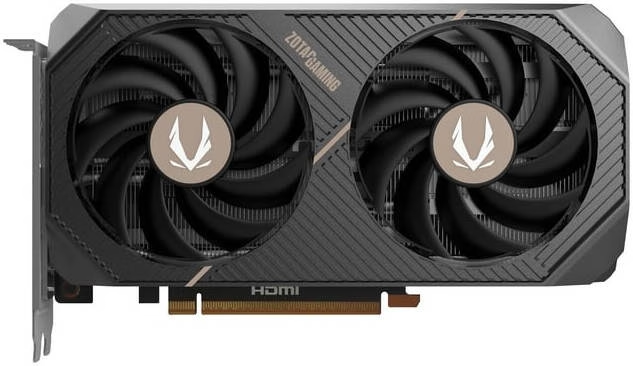
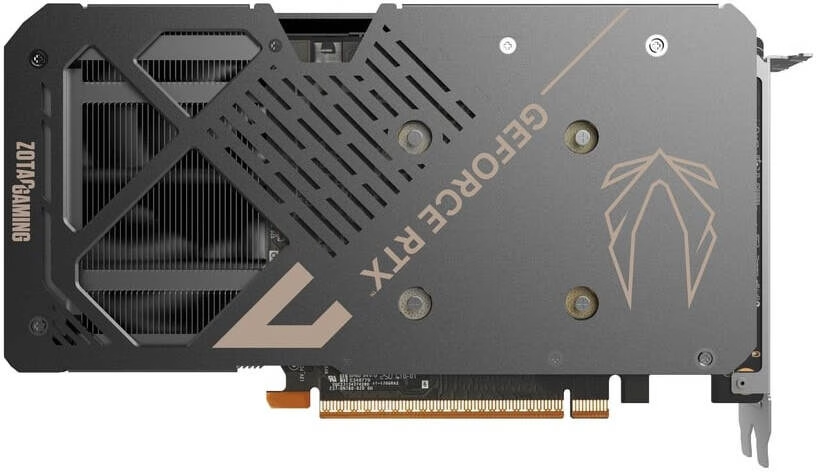
This version combines NVIDIA Blackwell architecture with two 90 mm BladeLink fans. The 220.5 mm board length is useful for planning a compact desktop, while the 120.25 mm height and 41.6 mm thickness determine clearance in the other directions. These dimensions describe the card rather than its retail box.
ZT-B50600F-10M specification table
| GPU | GeForce RTX 5060; 3840 CUDA cores |
|---|---|
| Boost clock | 2550 MHz |
| Video memory | 8GB GDDR7; 128-bit bus; 28 Gbps |
| Interface | PCI Express 5.0 x8 |
| Cooler | Air cooled; dual 90 mm BladeLink fans |
| Board dimensions | 220.5 × 120.25 × 41.6 mm; two slots |
| Power specification | 155W maximum consumption; 600W PSU recommended; one 8-pin input |
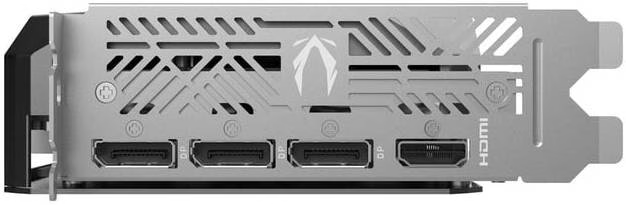
| Display outputs | 3 DisplayPort 2.1b with UHBR20 and 1 HDMI connector; up to four displays |
Comparing this AMP model with the Twin Edge 5050
The ZOTAC RTX 5050 Twin Edge has the same published 220.5 × 120.25 × 41.6 mm dimensions, but that does not make the two boards interchangeable in every requirement. This AMP model has GDDR7 memory at 28 Gbps, whereas that Twin Edge uses GDDR6 at 20 Gbps. Both hold 8GB, so capacity and memory technology should be compared separately.
The power figures also differ: this RTX 5060 AMP is specified at 155W with a 600W PSU recommendation, compared with 130W and 550W for that RTX 5050. Recheck the power plan when changing the selected GPU even if a previous chassis measurement still applies. These specifications describe the designs; they are not a measured performance comparison.
Fitting the card in the intended PC
Check usable length behind the expansion bracket, allowing for front cooling hardware, drive cages and cable routes. Then inspect the side-panel clearance around the power connection. A card may fit by length while leaving inadequate access for its lead or restricting airflow around the fans.
The two-slot designation should be considered alongside the motherboard layout. Confirm that adjacent devices and cables leave room around the cooler. For a small enclosure, plan the installation order before placing the card so the power connection remains accessible and the fan area stays clear.
Record the bus as PCI Express 5.0 x8 when checking the motherboard manual. A full-length slot’s physical shape does not establish its available electrical lanes or any sharing with other devices. Confirm the intended slot arrangement for the complete system rather than assessing the graphics card in isolation.
Power, monitors and software
Check that the PSU offers the appropriate lead for the single 8-pin input. Assess the processor and remaining system load alongside ZOTAC’s PSU recommendation. The GPU consumption figure and total recommended PSU rating answer different questions, so retain both in the build specification.
Assign each monitor to the required connector before selecting cables. The display’s supported mode, the cable, any adapter and the driver all affect the final arrangement. Four-display support does not establish a particular resolution and refresh rate across every connected screen.
For games or accelerated applications, check the software’s GPU support and memory requirement. The card’s 8GB capacity remains relevant even where an application supports newer rendering features. DLSS 4 is a supported platform feature, with use dependent on the application; no workload-specific frame rate or test result is claimed here.
Documentation and questions
The official ZOTAC model brochure is the reference for the hardware details. Other options are listed in the ZOTAC graphics card range.
Which exact AMP reference is covered?
This listing covers ZT-B50600F-10M. Match that reference on the quotation and unit label rather than assuming an F2 variant has the same configuration.
Does it require a liquid cooling loop?
No separate loop is specified. This is the air-cooled model with two BladeLink fans.
What package information still needs confirmation?
Confirm the actual unit condition, packing contents and applicable warranty terms in the offer. The manufacturer brochure describes the original design and does not establish the supplied unit’s commercial terms.
Product images
ZOTAC GeForce RTX 5060 AMP images
Use the product images together with the final quotation to confirm the supplied model, configuration and condition.
Related products
Recently viewed
Add AI Robot Supplier as a preferred source on Google.