NVIDIA RTX PRO 6000 Workstation vs Max-Q: 600W vs 300W Compared
 airobot_admin
•
Workstation Hardware Research
•
Updated August 30, 2026
•
10 min read
airobot_admin
•
Workstation Hardware Research
•
Updated August 30, 2026
•
10 min read
Performance intelligence for workstation buyers.
Updated August 2026: The NVIDIA RTX PRO 6000 Blackwell family includes more than one professional workstation configuration, and the two models most likely to be confused are the RTX PRO 6000 Blackwell Workstation Edition and the RTX PRO 6000 Blackwell Max-Q Workstation Edition. Both provide 96GB…
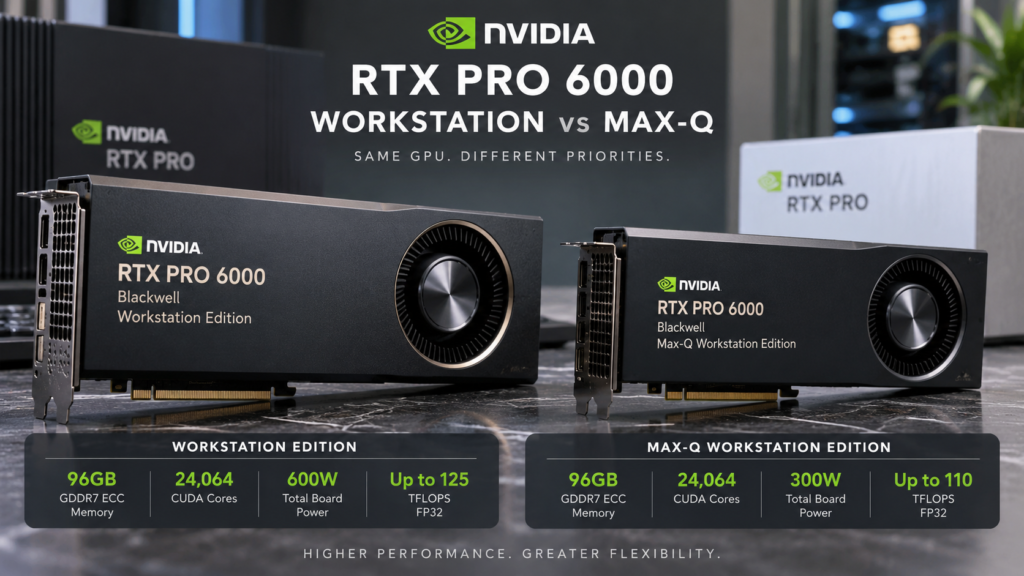
Updated August 2026: The NVIDIA RTX PRO 6000 Blackwell family includes more than one professional workstation configuration, and the two models most likely to be confused are the RTX PRO 6000 Blackwell Workstation Edition and the RTX PRO 6000 Blackwell Max-Q Workstation Edition.
Both provide 96GB of GDDR7 ECC memory, 24,064 CUDA cores and NVIDIA Blackwell architecture, but they are designed for different workstation priorities. The standard Workstation Edition is built around maximum single-GPU performance with a 600W power envelope, while the Max-Q Workstation Edition reduces power to 300W for greater efficiency and denser multi-GPU workstation configurations.
This guide compares the RTX PRO 6000 Workstation vs Max-Q specifications, power requirements, cooling, physical size, AI use cases and deployment strategies so professional buyers can choose the correct model.
View RTX PRO 6000 Blackwell Workstation Edition →
View RTX PRO 6000 Blackwell Max-Q Workstation Edition →
RTX PRO 6000 Workstation vs Max-Q: Quick Comparison
| Specification | RTX PRO 6000 Workstation | RTX PRO 6000 Max-Q |
|---|---|---|
| Architecture | NVIDIA Blackwell | NVIDIA Blackwell |
| GPU Memory | 96GB GDDR7 ECC | 96GB GDDR7 ECC |
| CUDA Cores | 24,064 | 24,064 |
| Memory Interface | 512-bit | 512-bit |
| Memory Bandwidth | 1,792 GB/s | 1,792 GB/s |
| FP32 Performance | Up to 125 TFLOPS | Up to 110 TFLOPS |
| RT Performance | Up to 380 TFLOPS | Up to 333 TFLOPS |
| Total Board Power | 600W | 300W |
| Cooling | Double flow-through | Active cooling |
| Approximate Size | 5.4 × 12 inches | 4.4 × 10.5 inches |
| Primary Positioning | Maximum single-GPU workstation performance | Power-efficient and dense multi-GPU workstations |
The Biggest Difference: 600W vs 300W
The most important difference between the RTX PRO 6000 Workstation Edition and Max-Q is the power envelope.
The standard RTX PRO 6000 Blackwell Workstation Edition is rated at up to 600W. NVIDIA uses this higher power budget to maximize the performance available from the Blackwell GPU in a professional desktop workstation.
The RTX PRO 6000 Blackwell Max-Q Workstation Edition is rated at 300W. That is half the maximum board power of the standard Workstation Edition.
This does not turn Max-Q into a completely different GPU. It still provides the same 96GB ECC framebuffer, the same 24,064 CUDA-core count and the same 1,792 GB/s memory bandwidth. Instead, Max-Q trades some peak compute performance for substantially lower power consumption.
That difference matters enormously when designing a workstation around one, two, three or four professional GPUs.
Which RTX PRO 6000 Is Faster?
For maximum single-GPU performance, the standard Workstation Edition is the stronger configuration.
Its higher 600W power allowance enables up to approximately 125 TFLOPS of single-precision performance, compared with approximately 110 TFLOPS for Max-Q.
Ray-tracing performance also differs, with the standard Workstation Edition reaching approximately 380 TFLOPS compared with roughly 333 TFLOPS for the Max-Q configuration.
The difference means buyers focused primarily on maximum throughput from one GPU should generally begin by evaluating the standard Workstation Edition.
However, raw single-GPU performance is not the only factor that determines the best workstation design.
Why Max-Q Can Be Better for Multi-GPU Workstations
The Max-Q edition becomes particularly interesting when several GPUs are installed in the same workstation.
A single standard Workstation Edition can consume up to 600W. Two cards could therefore represent up to 1,200W of GPU power alone before accounting for the CPU, memory, storage, fans and other system components.
Four 600W GPUs would represent an extremely demanding workstation from a power, cooling and chassis-design perspective.
By comparison, four 300W Max-Q cards represent approximately 1,200W of GPU board power in total. That is still a serious workstation, but substantially easier to engineer than four 600W GPUs.
This is one reason NVIDIA positions the Max-Q edition for scalable professional workstation configurations.
Both Cards Still Provide 96GB of ECC Memory
One of the most important similarities between the RTX PRO 6000 Workstation and Max-Q is memory.
Both configurations provide 96GB of GDDR7 memory with ECC on a 512-bit interface with approximately 1,792 GB/s of memory bandwidth.
This means choosing Max-Q does not require dropping to a smaller framebuffer.
For AI developers, scientific researchers, visualization professionals and engineers, that is significant because memory capacity can sometimes matter more than a relatively modest difference in peak compute throughput.
A workload that requires 70GB or 80GB of GPU memory can still fit into either 96GB RTX PRO 6000 configuration.
RTX PRO 6000 Workstation vs Max-Q for AI
Both versions are professional Blackwell GPUs and both can be used for advanced AI development, inference, data science, computer vision and related workloads.
The better choice depends on the structure of the AI workload.
Choose the standard Workstation Edition when:
- You want maximum performance from a single GPU.
- Your workstation can support a 600W professional GPU.
- You are primarily building a one-GPU or two-GPU high-performance system.
- Peak training, inference or compute throughput is more important than power efficiency.
- Your chassis and cooling system are designed for very high thermal loads.
Choose Max-Q when:
- You want 96GB of GPU memory with lower power consumption.
- You plan to build a dense multi-GPU workstation.
- Your power or cooling budget is limited.
- Performance per watt matters more than maximum single-GPU throughput.
- You need several large-memory GPUs in one professional chassis.
RTX PRO 6000 for Large Language Models
Large language model workloads are one of the strongest reasons to consider either RTX PRO 6000 configuration.
Both models provide a 96GB framebuffer, which can accommodate substantially larger AI workloads than typical consumer desktop GPUs with 24GB or 32GB of memory.
The actual model size that fits depends on parameter count, precision, quantization, context length, KV cache, framework overhead and other memory requirements.
For a workstation focused on running the largest possible workload on one GPU at maximum speed, the 600W Workstation Edition is attractive.
For workflows that can distribute models, inference jobs or multiple users across several GPUs, Max-Q may provide a more practical way to build a high-memory multi-GPU workstation.
Power Supply Requirements
Power-supply planning is critical for both models, but especially for the standard RTX PRO 6000 Workstation Edition.
The 600W card requires a workstation power supply with sufficient capacity not only for the GPU but also for the processor, system memory, storage and all additional components.
High-end CPUs can themselves consume substantial power under sustained professional workloads, so the total workstation requirement can become much higher than the GPU’s rated board power.
The Max-Q model’s 300W power profile reduces the pressure on the overall power budget and can simplify multi-GPU system integration.
Cooling Differences
The two workstation editions also use different thermal strategies.
The standard Workstation Edition uses a double flow-through thermal solution designed for its higher 600W operating envelope.
The Max-Q configuration uses an active thermal solution in a smaller physical format.
Regardless of the edition selected, professional buyers should ensure that the workstation chassis provides appropriate intake, exhaust and internal airflow for sustained GPU workloads.
AI inference, simulation and rendering can keep professional GPUs under high load for hours or days, making thermal engineering more important than it is for short consumer workloads.
Physical Size: Workstation Edition vs Max-Q
The Max-Q edition is also physically smaller.
| Dimension | Workstation Edition | Max-Q |
|---|---|---|
| Height | Approximately 5.4 inches | Approximately 4.4 inches |
| Length | Approximately 12 inches | Approximately 10.5 inches |
| Slots | Dual-slot | Dual-slot |
The smaller Max-Q dimensions can be an advantage in workstation designs where several GPUs need to fit around storage, networking and other expansion hardware.
RTX PRO 6000 Workstation vs Max-Q for Rendering
Professional rendering workloads can benefit from both configurations.
If the rendering engine scales strongly with raw GPU compute and the workstation contains one primary GPU, the standard Workstation Edition offers the higher peak performance.
For render farms or multi-GPU workstation configurations, however, several Max-Q GPUs may provide a compelling balance between total compute capability and manageable power consumption.
The correct choice depends on whether the renderer scales efficiently across multiple GPUs and how much GPU memory each workload requires.
RTX PRO 6000 Workstation vs Max-Q for CAD and Engineering
Many CAD and engineering workloads do not continuously use the full compute capability of a 600W GPU.
For interactive visualization, large assemblies, digital twins, engineering analysis and professional graphics applications, both models provide the same massive 96GB ECC framebuffer.
In environments where the workstation will run several GPU-accelerated workloads simultaneously or where power efficiency is important, Max-Q may be attractive.
For organizations running the most demanding GPU compute, simulation or visualization workloads on a single card, the standard Workstation Edition provides additional performance headroom.
What About the RTX PRO 6000 Server Edition?
There is also a third major member of the RTX PRO 6000 Blackwell family: the Server Edition.
The Server Edition is intended for compatible rackmount systems and uses passive cooling rather than the active workstation cooling solutions used by the two desktop variants.
Buyers should therefore not select the Server Edition simply because the core GPU specifications appear similar.
Passive server GPUs require chassis airflow specifically engineered to move air through the accelerator.
For conventional professional desktop workstations, the standard Workstation or Max-Q Workstation editions are generally the more relevant products.
Current RTX PRO 6000 Pricing
AI Robot Supplier currently lists both RTX PRO 6000 workstation configurations subject to current stock and commercial confirmation.
The standard NVIDIA RTX PRO 6000 Blackwell Workstation Edition is currently listed at $7,950 USD.
Because professional GPU inventory, warranty channels and regional availability can change quickly, buyers should confirm the exact edition, manufacturer part number, available quantity and shipping terms before payment.
Check RTX PRO 6000 Workstation Edition price and availability →
Check RTX PRO 6000 Max-Q price and availability →
For a broader market-price analysis, see our NVIDIA RTX PRO 6000 Price Guide 2026.
Which RTX PRO 6000 Should You Buy?
For most buyers, the choice can be reduced to one question:
Do you want maximum performance from each GPU, or do you want maximum efficiency and GPU density?
Choose the RTX PRO 6000 Blackwell Workstation Edition when maximum single-GPU performance is the priority and the workstation can support a 600W professional accelerator.
Choose the RTX PRO 6000 Blackwell Max-Q Workstation Edition when 96GB of ECC GPU memory is required but power efficiency, chassis density or multi-GPU deployment is more important.
Neither option is universally better. They are optimized for different workstation architectures.
RTX PRO 6000 Workstation vs Max-Q FAQ
Does RTX PRO 6000 Max-Q have less memory?
No. Both the standard Workstation Edition and Max-Q Workstation Edition provide 96GB of GDDR7 ECC memory.
Is RTX PRO 6000 Max-Q slower?
The Max-Q model has lower peak compute performance because it operates within a 300W power envelope rather than the standard Workstation Edition’s 600W envelope. However, it retains the same 96GB memory capacity and can be more practical in dense multi-GPU systems.
Which RTX PRO 6000 is better for AI?
For maximum single-GPU performance, the standard 600W Workstation Edition is generally stronger. For multi-GPU AI workstations where power consumption and density are important, Max-Q can be the better system-level choice.
Which version is better for local LLMs?
Both have 96GB of GPU memory, so both can support large local AI workloads. The standard Workstation Edition provides more peak compute performance, while Max-Q provides better power efficiency.
Can I use four RTX PRO 6000 GPUs in one workstation?
Multi-GPU support depends on the workstation motherboard, PCIe lane allocation, chassis, cooling, power supply and software. Max-Q is particularly relevant to dense multi-GPU workstation designs because each GPU is rated at 300W rather than 600W.
Do both versions use PCIe 5.0?
Yes. Both models use a PCI Express 5.0 x16 system interface.
Is Max-Q the same as the Server Edition?
No. Max-Q is an actively cooled workstation GPU. The Server Edition is intended for compatible rackmount server environments and uses passive cooling.
Where can I buy RTX PRO 6000?
AI Robot Supplier lists both the standard RTX PRO 6000 Blackwell Workstation Edition and the Max-Q Workstation Edition. Confirm current stock, exact configuration and international shipping before payment.
Final Recommendation
The RTX PRO 6000 Blackwell Workstation Edition is the better choice when maximum performance from a single professional GPU is the primary objective.
The RTX PRO 6000 Blackwell Max-Q Workstation Edition is the better choice when power efficiency, chassis density and multi-GPU deployment matter more than the last increment of single-GPU performance.
Both provide the defining feature of the RTX PRO 6000 Blackwell family: 96GB of ECC-protected GDDR7 memory for demanding AI, engineering, scientific and professional visualization workloads.
View NVIDIA RTX PRO 6000 Workstation Edition →
View NVIDIA RTX PRO 6000 Max-Q Workstation Edition →
Official NVIDIA Technical References
This comparison is based on NVIDIA’s published specifications for the RTX PRO 6000 Blackwell Workstation Edition, Max-Q Workstation Edition and the wider RTX PRO 6000 family.
- NVIDIA — RTX PRO 6000 Blackwell Series
- NVIDIA — RTX PRO 6000 Blackwell Max-Q Workstation Datasheet
- NVIDIA — RTX PRO 6000 Blackwell Workstation Edition Datasheet
Product revisions, board-supplier part numbers and software capabilities can change. Professional buyers should verify the current manufacturer documentation for the exact product supplied.
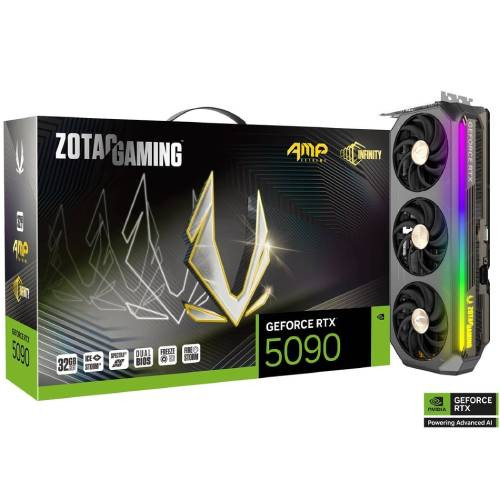 ZOTAC GAMING GeForce RTX 5090 AMP Extreme INFINITY
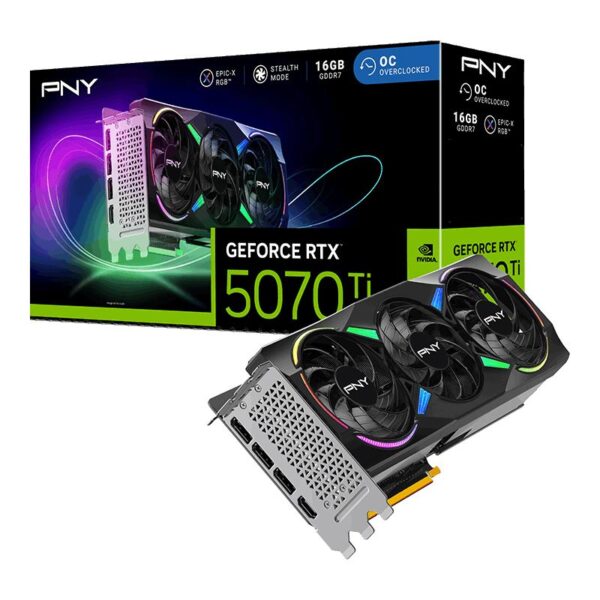 PNY GeForce RTX 5070 Ti 16GB ARGB EPIC-X RGB Overclocked Triple Fan
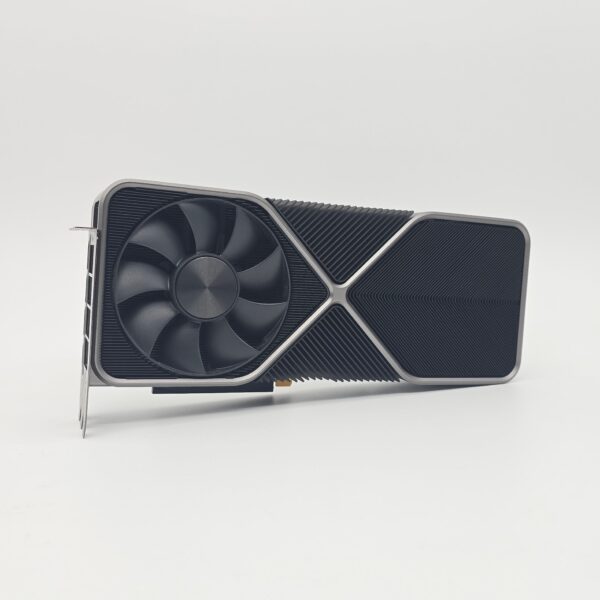 NVIDIA GeForce RTX 3090 Founders Edition 24GB
 Sapphire NITRO+ Radeon RX 7800 XT 16GB