System board
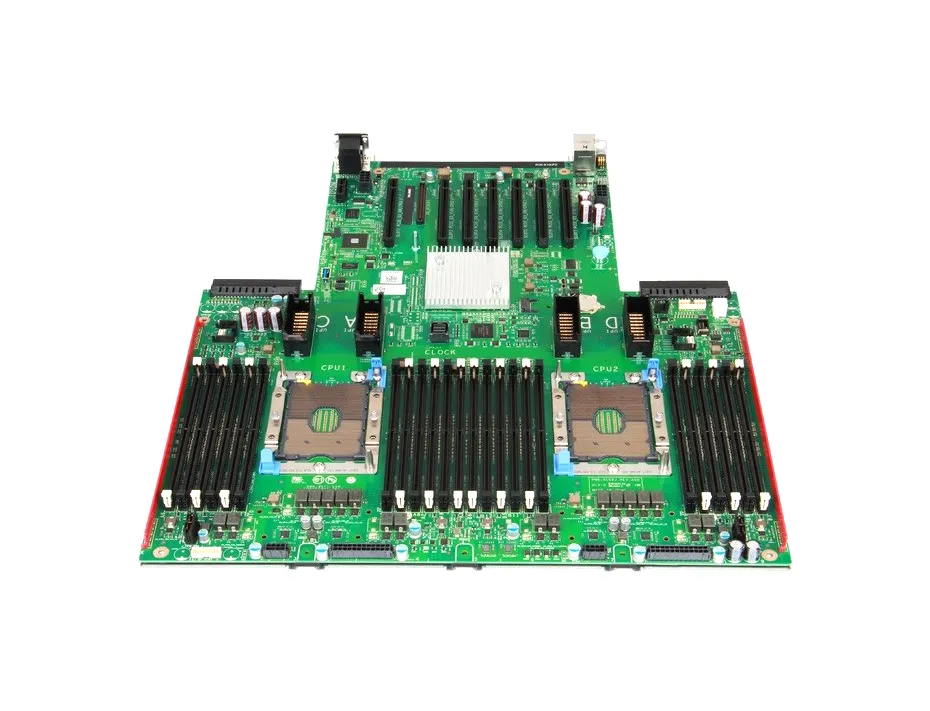
Dell D41HC is a PowerEdge R940 system-board reference with two FCLGA3647 processor socket positions and twenty-four onboard DDR4 DIMM positions.
$948.00
Dell D41HC is a PowerEdge R940 system-board reference with two FCLGA3647 processor socket positions and twenty-four onboard DDR4 DIMM positions. The platform's larger processor and memory configurations require additional hardware, including the separate processor expansion module. Advertised as refurbished; installed CPUs, memory, revision, BIOS, condition and included accessories require confirmation.
Related products, categories and research.
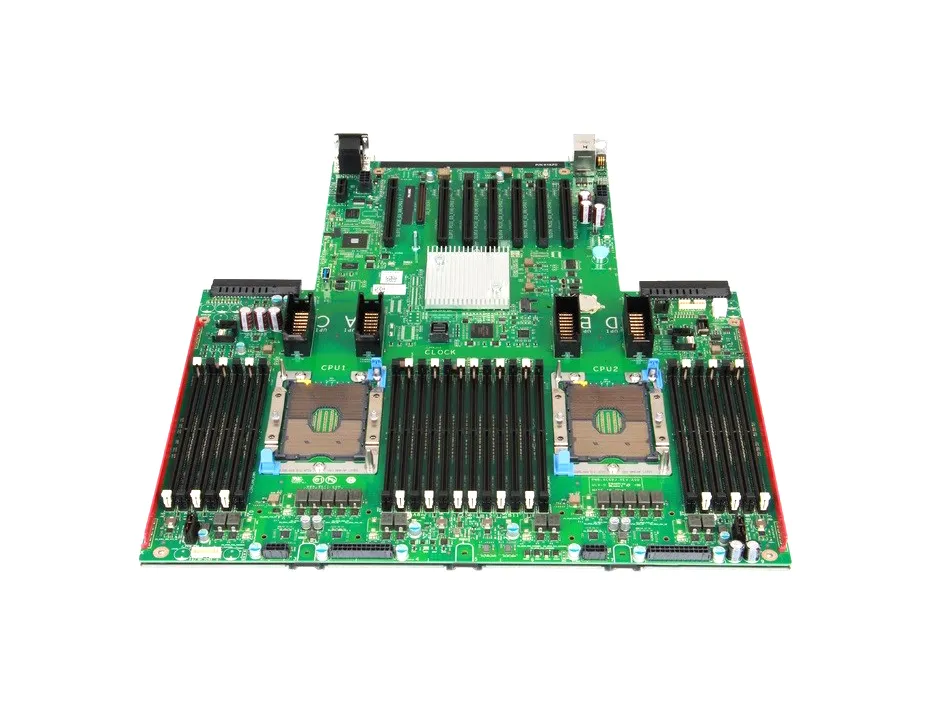
Dell D41HC is a PowerEdge R940 system-board reference with two FCLGA3647 processor socket positions and twenty-four onboard DDR4 DIMM positions.
Use Dell D41HC as an exact model reference when comparing Dell server system board options. Confirm the offered condition, full identifier and supplied scope before ordering.
Match the complete model, OEM suffix and revision.
Check interfaces, mounting, power and firmware.
Confirm condition, included components and accessories.
Dell D41HC is a PowerEdge R940 system-board reference with two FCLGA3647 processor socket positions and twenty-four onboard DDR4 DIMM positions.
Use D41HC server system board as the ordering reference rather than a similar family name.
For server system board configuration, match the full identifier and the specific host requirements below.
Compare the exact model and OEM requirements with the existing installation.
Check mounting, interfaces, firmware and power against the host documentation.
Match the intended workload and final written configuration; platform options do not establish installed components.
Dell D41HC is a PowerEdge R940 system-board reference with two FCLGA3647 processor socket positions and twenty-four onboard DDR4 DIMM positions. The platform's larger processor and memory configurations require additional hardware, including the separate processor expansion module. Advertised as refurbished; installed CPUs, memory, revision, BIOS, condition and included accessories require confirmation.
Match the full Dell part label and replacement requirement against the server service tag. Check system-board and PEM connections, supported CPUs, memory population and firmware. Do not infer a four-processor configuration from this board alone. R940xa, other PowerEdge models and reseller-listed alternatives are separate references. The board is chassis-specific rather than a generic desktop replacement.
For Dell D41HC compatibility, match the exact host and product revision before selecting the configuration.
This helpful selection guide for Dell D41HC combines the model details with practical ordering and installation checks. Start with the complete identifier in the specifications and compare it with the part required by your existing system. Similar family names can cover different interfaces, physical assemblies and firmware variants. Confirm the particular item and its condition in the final written order.
Record hardware labels, firmware and configuration before replacing this component. Check risers, mounting, cables and supported drivers. After installation, verify device detection, expected interfaces and platform diagnostics. Retain a configuration backup when the change affects storage or network access.
Plan the physical installation as carefully as the electrical connection. Follow the host service instructions for power isolation, electrostatic handling and access to internal components. Check whether a carrier, bracket, heatsink, adapter or mounting hardware is required. Items shown in model photographs are not automatically part of the delivery. Arrange needed accessories explicitly rather than relying on the appearance of a different configuration.
Before deploying Dell D41HC, compare the full received label with the order. Check unexpected suffixes, revision markings and differences in the detected configuration. Resolve any discrepancy before using the component in a production system. Retain the written configuration and diagnostic results for future maintenance. A nominal capacity or connector match is a starting point rather than complete platform qualification.
Schedule installation when the system can tolerate a service interruption. Keep the original configuration details available and follow the host recovery procedure if the replacement is not recognized. Review the applicable support documentation before making firmware changes; a version listed for another OEM assembly is not automatically suitable. Ask for any required testing evidence, included items and coverage terms in writing before purchase.
A system board model reference. The specifications above distinguish its role and configuration.
No. Check host qualification, firmware, mounting, power and exact variant requirements.
Only components and accessories stated in the final written offer should be treated as included.
Confirm the exact condition and any relevant testing or health information before ordering. Refurbished descriptions do not establish remaining life or a new-product warranty.
Add AI Robot Supplier as a preferred source on Google.
Tell us what you need — we respond within one business day.