AI and perception development
100 TOPS gives U2 more room than U1 for onboard inference and perception workloads.
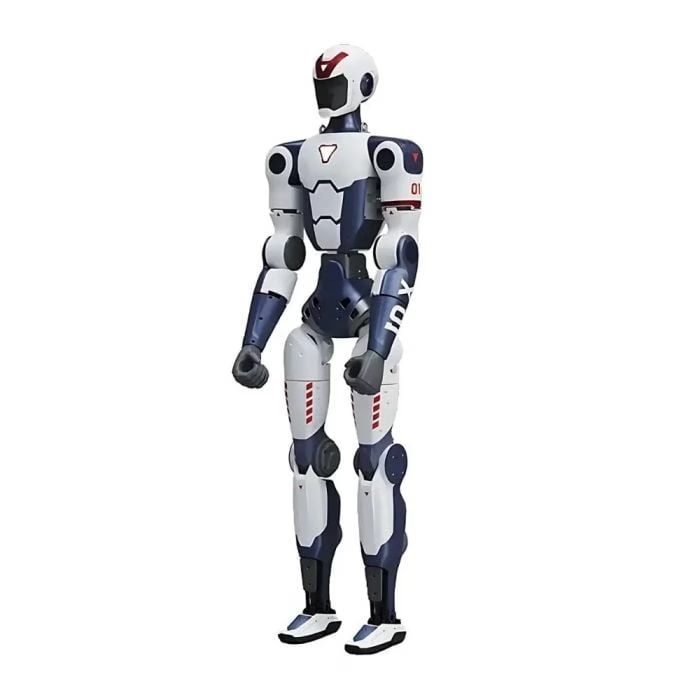
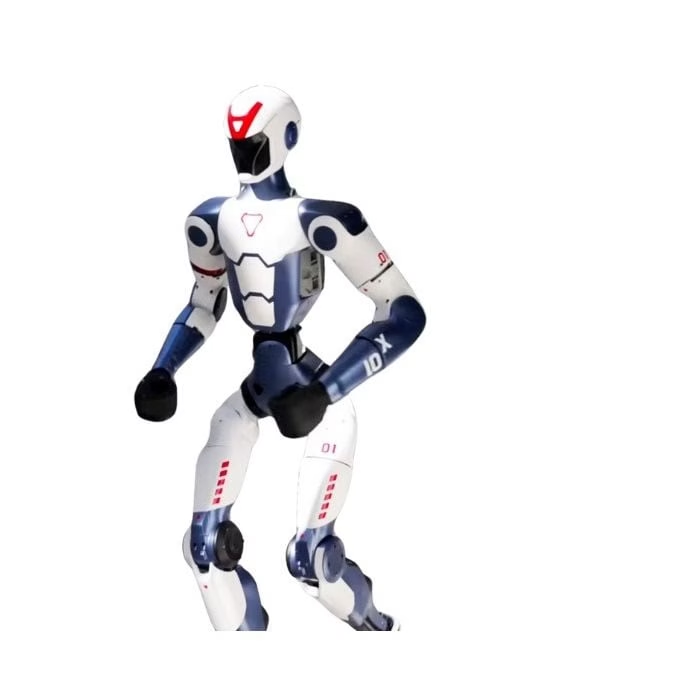
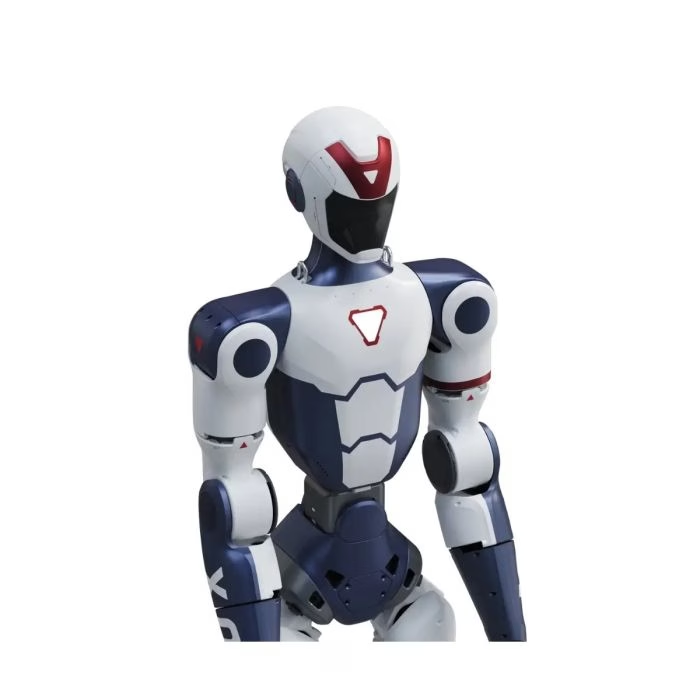
$11,340.00
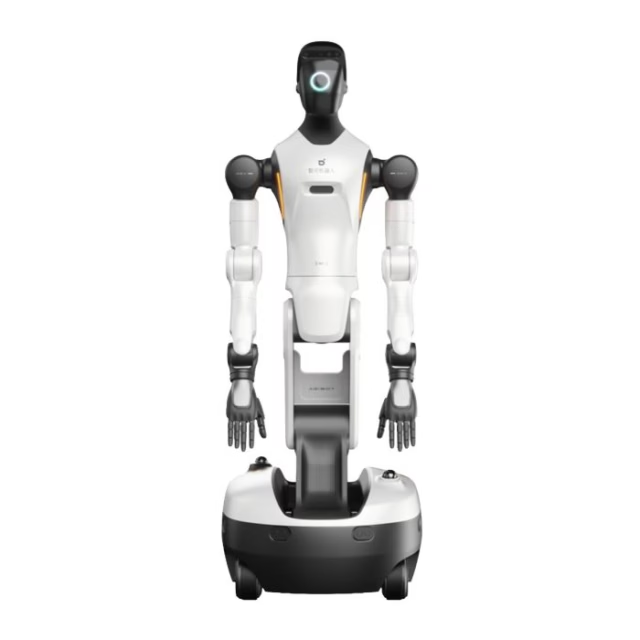
Unitree R1 EDU Smart (R1 EDU U2) is a 100-TOPS development configuration built on the compact R1 humanoid platform. It retains the 26-DOF R1 body, binocular camera, approximately 29 kg operating weight and roughly one-hour battery runtime while moving to a higher NVIDIA Jetson Orin compute tier for more demanding embodied-AI and perception workloads. Manufacturer model / part number: R1-EDU-U2.
U2 uses a fixed/non-dexterous hand configuration. Buyers who need articulated or tactile hands should compare the R1 EDU Pro U3 and U6 models.
Related products, categories and research.
Unitree R1 EDU Smart U2 is aimed at developers who want substantially more onboard AI compute than the entry U1 configuration without paying for dexterous-hand hardware. The robot uses the same compact R1 mechanical architecture—1,230 mm tall, about 29 kg, 26 body-joint DOF—paired in this catalog with an NVIDIA Jetson Orin module specified at 100 TOPS.
The U2 model is sometimes grouped by sellers under the broader “R1 EDU Pro” family. On AI Robot Supplier, U2 is kept as a distinct listing so buyers can clearly separate the 100-TOPS fixed-hand configuration from U3/U4/U5/U6 hand variants.
Many humanoid projects are perception- or control-heavy but do not require grasping. In that case, a 100-TOPS fixed-hand platform can make more sense than buying an articulated-hand model. U2 gives teams a stronger compute tier for inference, visual processing and custom robotics software while preserving the R1’s transportable footprint.
This is also why the Unitree R1 EDU U2 should not be described with tactile-hand features. Tactile sensing belongs to higher hand configurations. The U2 page is intentionally focused on compute, secondary development, sensing and locomotion.
Your project needs secondary development and 100 TOPS of onboard AI acceleration, but object manipulation is not yet a core requirement.
The price shown above applies to this AI Robot Supplier listing. When comparing U2 quotes, check whether the 100-TOPS compute module, controller, battery, charger, transport case and protective equipment are included; configuration scope can explain large price differences between sellers.
100 TOPS gives U2 more room than U1 for onboard inference and perception workloads.
Fixed hands keep the configuration focused on locomotion, perception, interaction and software development.
Move to U3 for Dex3 articulated hands or U6 for a tactile five-finger configuration instead of assuming hand hardware can be added without integration work.
| Manufacturer model / part number | R1-EDU-U2 |
|---|---|
| Product / configuration | R1 EDU U2 / catalog name R1 EDU Smart |
| Standing dimensions | 1230 × 357 × 190 mm |
| Weight with battery | About 29 kg |
| Body-joint DOF | 26 |
| Leg DOF | 6 per leg |
| Arm DOF | 5 per arm |
| Waist DOF | 2 |
| Head DOF | 2 |
| Hand type | Fixed / non-dexterous |
| Maximum arm load | About 2 kg; posture dependent |
| Primary processor | 8-core high-performance processor |
| AI compute | NVIDIA Jetson Orin configuration specified at 100 TOPS |
| Vision | Humanoid binocular camera |
| Audio | 4-microphone array + speaker |
| Wireless | Wi-Fi 6 + Bluetooth 5.2 |
| Battery life | About 1 hour |
| Secondary development | Supported |
| Warranty reference | 12 months |
Run higher-compute perception and inference experiments on a compact physical humanoid platform.
Use the binocular camera with custom visual-processing pipelines and model inference, subject to the current SDK and software stack.
Develop and validate motion, joint-control and whole-body behaviors without adding hand-manipulation complexity.
Combine vision, microphone input, speaker output and motion for controlled multimodal interaction experiments.
A middle configuration for labs that need serious onboard compute but are not yet conducting dexterous manipulation research.
Useful when the main integration question is robot software, network communication, sensing and AI rather than grasping.
R1 EDU U1 is the lower 40-TOPS entry tier. U2 moves to 100 TOPS but retains fixed hands. R1 EDU U3 pairs the 100-TOPS tier with two Dex3 7-DOF hands for articulated manipulation. R1 EDU U6 moves further toward contact-rich research through tactile five-finger hands.
If secondary development is unnecessary, the standard Unitree R1 remains a simpler and lower-cost route into the R1 platform.
| Feature | U1 | U2 | U3 | U6 |
|---|---|---|---|---|
| R1 body DOF | 26 | 26 | 26 | 26 |
| Published total actuated DOF | 26 | 26 | 40 | 48 |
| AI compute | 40 TOPS | 100 TOPS | 100 TOPS | 100 TOPS |
| Hands | Fixed | Fixed | 2 × Dex3 | 2 × Revo 2 Touch |
| Tactile sensing | No | No | No | Yes |
| Best fit | Entry development | AI/perception compute | Dexterous manipulation | Tactile manipulation |
A typical U2 system includes the R1 EDU U2 robot, quick-release smart battery, charger, handheld remote controller, transport case and protective gantry. The U2 configuration uses fixed/non-actuated hands; dexterous hand hardware belongs to higher Pro variants.
High-compute EDU configuration intended for perception, inference and custom software workflows.
Keeps the platform focused on locomotion, sensing and software development rather than manipulation hardware.
Battery, charger, remote, transport case and protective gantry should be confirmed in the final supplied scope.
U2 upgrades compute, not the hand system. It is a strong choice for custom perception, embodied-AI inference and controls work, but the fixed hand shape cannot perform articulated grasping. Choose U3 or U6 when object manipulation is a core research requirement.
Unitree R1 EDU Smart is the fixed-hand R1 EDU configuration for teams that need more onboard AI acceleration than U1. Current specialist documentation specifies NVIDIA Jetson Orin at 100 TOPS while preserving the same 26-DOF body, approximately 29 kg operating weight and compact 1.23 m form factor.
The point of Unitree R1 EDU Smart is compute density without the cost and integration complexity of articulated hand hardware. That makes it particularly relevant to perception, inference, locomotion, multimodal interaction and software-integration projects where grasping is not yet the central research problem.
Unitree R1 EDU Smart is documented with Unitree SDK2 and CycloneDDS, ROS 2 workflows including rosbag2 and MoveIt2, and NVIDIA Isaac Sim support. The robot combines that software stack with binocular depth perception, four-microphone spatial audio, speaker output, Wi-Fi 6 and Bluetooth 5.2.
For embodied-AI developers, the practical advantage is that the 100-TOPS module can support larger perception and inference workloads while the physical platform remains small enough for many laboratory environments.
Unitree R1 EDU Smart uses fixed non-actuated hand shapes. The page therefore should not borrow tactile, Dex3 or Revo 2 capabilities from higher R1 EDU variants. U3 adds two 7-DOF Dex3 hands; U6 moves to two 11-DOF Revo 2 Touch five-finger hands with tactile sensing.
This clean separation helps buyers compare the real engineering trade-off: U2 invests in compute; U3/U6 invest in manipulation hardware as well as compute.
Unitree R1 official platform specifications
AI Robot Supplier is operated by ARTI – Autonomous Robot Technology GmbH in Austria. Product configuration, availability, included accessories, applicable warranty and delivery terms are stated on the listing or confirmed where required before order acceptance.
Review our Shipping Policy, Return & Refund Policy and company information before purchase. For multi-unit, institutional or destination-specific procurement, request a written quotation so the exact model, quantity, accessories, lead time and freight scope can be confirmed.
These quick answers summarize configuration-specific points that buyers commonly need before comparing price or requesting a quotation.
The Unitree R1 EDU Smart uses the 1230 × 357 × 190 mm R1 body and weighs approximately 29 kg with the battery.
The U2 tier upgrades onboard development compute to NVIDIA Jetson Orin at 100 TOPS, making it better suited to heavier perception and inference workloads.
Current documentation lists Unitree SDK2, CycloneDDS, ROS 2 workflows including MoveIt2, and NVIDIA Isaac Sim support for development and simulation.
The main catalog difference is compute: U1 is specified at 40 TOPS, while U2 is specified at 100 TOPS. Both are development-oriented R1 configurations.
No. This U2 listing uses fixed/non-dexterous hands. Dexterous-hand configurations start higher in the R1 EDU Pro ladder.
It is positioned for development work and offers a 100-TOPS onboard AI compute tier, making it more suitable than standard R1 for custom perception and AI workflows.
The R1 body has 26 actuated joints. U2 does not add articulated hand joints in this configuration.
R1 EDU is the secondary-development family. Developers should review the current Unitree SDK2 repository and confirm the interfaces required for their application.
Choose U2 when compute is more important than grasping. Choose U3 when your research also requires articulated Dex3 hands.
Yes. This U2 catalog configuration is specified with NVIDIA Jetson Orin at 100 TOPS while retaining fixed non-actuated hands.
No. U2 uses fixed hand shapes. Choose U3 for Dex3 articulated hands or U6 for Revo 2 Touch tactile five-finger hands.
Tell us what you need — we respond within one business day.