NVIDIA Vera Rubin NVL72 vs Blackwell Ultra: Powerful MLPerf Results for AI Infrastructure Buyers
 airobot_admin
•
Workstation Hardware Research
•
Updated September 24, 2026
•
16 min read
airobot_admin
•
Workstation Hardware Research
•
Updated September 24, 2026
•
16 min read
Performance intelligence for workstation buyers.
AI Infrastructure Analysis • Updated September 24, 2026 NVIDIA Vera Rubin NVL72 has made its first MLPerf Inference appearance, giving enterprise AI buyers a new data point for comparing the Rubin generation with NVIDIA Blackwell Ultra infrastructure. NVIDIA says its preview submission delivered up to 3.7×…
AI Infrastructure Analysis • Updated September 24, 2026
NVIDIA Vera Rubin NVL72 has made its first MLPerf Inference appearance, giving enterprise AI buyers a new data point for comparing the Rubin generation with NVIDIA Blackwell Ultra infrastructure. NVIDIA says its preview submission delivered up to 3.7× higher throughput than GB300 NVL72 on Qwen3-VL and up to 2.5× higher throughput on DeepSeek-R1 in the specific MLPerf Inference v6.1 comparisons it highlighted.
The headline performance numbers are impressive, but they are not the entire buying decision. A Rubin rack also changes the CPU platform, GPU memory architecture, NVLink generation, scale-out networking, cooling requirements and data-center planning assumptions. For companies deciding whether to deploy Blackwell Ultra now or build around Rubin, the commercial question is therefore bigger than one benchmark chart.
This guide examines what the MLPerf results actually show, where NVIDIA DGX Vera Rubin NVL72 differs from GB300 NVL72, when a smaller DGX B300 deployment may make more sense, and which networking, cooling, power and deployment questions buyers should answer before committing to rack-scale AI infrastructure.
Key takeaways for AI infrastructure buyers
- NVIDIA Vera Rubin NVL72 entered MLPerf Inference v6.1 in the Preview category.
- NVIDIA reported up to 3.7× higher Qwen3-VL throughput and up to 2.5× higher DeepSeek-R1 throughput than GB300 NVL72 in selected submissions.
- MLCommons independently confirms that Vera Rubin was among the new platforms represented in the v6.1 benchmark round.
- DGX Vera Rubin NVL72 combines 72 Rubin GPUs, 36 Vera CPUs and 20.7 TB of HBM4 GPU memory.
- Rubin moves to sixth-generation NVLink, ConnectX-9 and BlueField-4 infrastructure.
- GB300 NVL72 remains a current Blackwell Ultra rack-scale system and NVIDIA lists it as available now.
- The best choice depends on deployment timing, model workload, data-center readiness, networking, power, cooling and total cost per useful workload—not simply which architecture is newer.
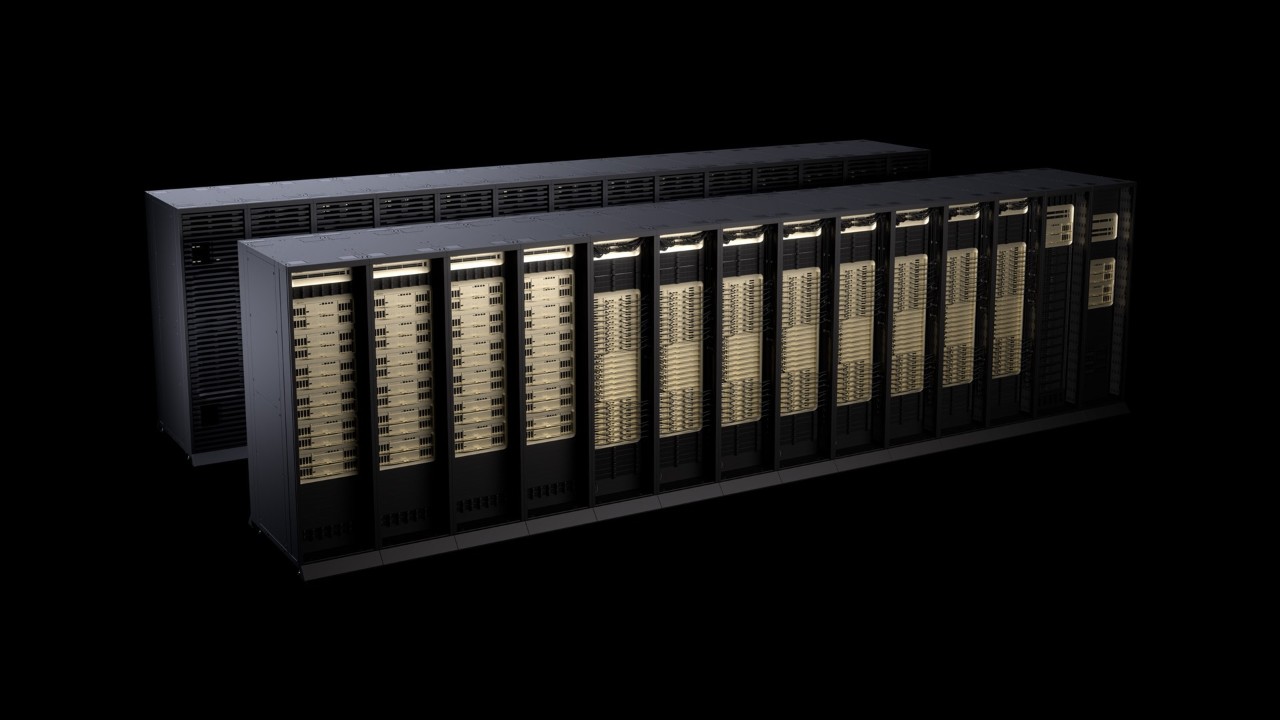
What happened in the NVIDIA Vera Rubin NVL72 MLPerf debut?
On September 16, NVIDIA published results from its first preview submission of Vera Rubin NVL72 to MLPerf Inference v6.1. MLPerf is developed by MLCommons as an architecture-neutral benchmark suite intended to provide repeatable performance data across systems from different vendors.
The v6.1 round is particularly relevant to AI infrastructure buyers because MLCommons introduced new tests reflecting the growth of multi-step, retrieval-augmented and agentic AI workloads. MLCommons also reported a record 30 submitters and 120 systems in the round, making it one of the broadest MLPerf Inference releases to date.
NVIDIA submitted Vera Rubin NVL72 preview results on two demanding workloads: DeepSeek-R1 and Qwen3-VL. According to NVIDIA’s September 16 benchmark analysis, Vera Rubin NVL72 delivered up to 3.7× higher throughput than GB300 NVL72 on Qwen3-VL across the scenarios NVIDIA highlighted. NVIDIA also reported up to 2.5× higher throughput on DeepSeek-R1.
Those figures should be understood correctly. They are comparisons from specific MLPerf submissions with defined software stacks, models and scenarios. They do not mean that every enterprise application will automatically become 3.7× or 2.5× faster after moving from Blackwell Ultra to Rubin.
Why the MLPerf results matter to buyers
AI infrastructure economics increasingly depend on more than raw floating-point capability. In production inference, organizations pay for racks, networking, data-center space, cooling, power, software and operations. The economically important metric is therefore closer to useful output per dollar, per rack and per megawatt.
If a newer system serves materially more users or generates more tokens from the same facility footprint, that can reduce the number of racks needed to hit a given service target. On the other hand, replacing or delaying infrastructure has an opportunity cost. A system available today can begin producing useful work while a future architecture is still being integrated into a facility.
This is why the NVIDIA Vera Rubin NVL72 versus Blackwell Ultra decision should not be reduced to “Rubin is faster.” The real decision is whether Rubin’s performance and architecture justify the required deployment timeline and infrastructure changes for the buyer’s particular workload.
What is NVIDIA Vera Rubin NVL72?
NVIDIA Vera Rubin NVL72 is NVIDIA’s next-generation rack-scale accelerated-computing architecture. NVIDIA’s current official specifications list 72 Rubin GPUs and 36 Vera CPUs in a single NVL72 system, with 20.7 TB of HBM4 GPU memory.
The system uses sixth-generation NVIDIA NVLink for the scale-up fabric. NVIDIA’s current Vera Rubin architecture page lists 216 TB/s of NVLink bandwidth across the NVL72 system. The DGX implementation also uses more than 144 ConnectX-9 VPI single-port interfaces at 800 Gb/s and more than 18 dual-port BlueField-4 VPI interfaces at 400 Gb/s for infrastructure and scale-out connectivity.
The accelerated-compute layer for large-scale pretraining, post-training, reasoning and inference.
Next-generation NVIDIA CPU platform based on custom Olympus cores for the Rubin-era system.
Large aggregate GPU memory capacity designed for demanding models, long contexts and high concurrency.
Sixth-generation scale-up interconnect connecting the rack’s GPUs into a high-bandwidth compute domain.
800 Gb/s networking for high-speed scale-out connectivity between racks and AI-factory infrastructure.
DPU-based infrastructure acceleration for data movement, security and platform services.
NVIDIA also integrates Mission Control, NVIDIA AI Enterprise and DGX OS into DGX Vera Rubin NVL72. That software layer matters because rack-scale AI systems cannot be treated as collections of independent servers. Cooling, workload scheduling, networking, system health and facility events need coordinated operations.
NVIDIA Vera Rubin NVL72 vs Blackwell Ultra GB300 NVL72
The closest current-generation comparison is NVIDIA GB300 NVL72. Both are liquid-cooled 72-GPU rack-scale systems, but they use different GPU, CPU, interconnect and networking generations.
| Specification | NVIDIA Vera Rubin NVL72 | NVIDIA GB300 NVL72 | Buyer significance |
|---|---|---|---|
| GPU generation | 72× NVIDIA Rubin GPUs | 72× NVIDIA Blackwell Ultra GPUs | Rubin is the newer architecture; Blackwell Ultra has the more established current deployment path. |
| CPU generation | 36× NVIDIA Vera CPUs | 36× NVIDIA Grace CPUs | The host and agentic-compute platform changes with Rubin. |
| Total GPU memory | 20.7 TB HBM4 | 20 TB GPU memory | Capacity is similar at rack scale, but memory generation and bandwidth differ materially. |
| GPU memory bandwidth | NVIDIA detailed DGX spec currently says up to 1,580 TB/s; Vera Rubin quick specs list 1,400 TB/s | Up to 576 TB/s | Rubin significantly increases aggregate memory bandwidth; confirm NVIDIA’s latest final specification before procurement. |
| NVLink | Sixth generation | Fifth generation | Rubin advances the internal scale-up communication fabric. |
| NVLink bandwidth | 216 TB/s on NVIDIA’s current Vera Rubin architecture page | 130 TB/s | Important for workloads distributed across many GPUs. |
| Scale-out NIC | ConnectX-9 | ConnectX-8 | The external network architecture evolves with the compute platform. |
| DPU | BlueField-4 | BlueField-3 | Infrastructure acceleration and networking services also move generation. |
| Commercial status | Confirm current partner allocation and deployment schedule | NVIDIA currently lists GB300 NVL72 as available now | Time-to-compute may outweigh future-generation performance for some buyers. |
NVIDIA’s current GB300 specifications list 20 TB of GPU memory and up to 576 TB/s aggregate GPU-memory bandwidth. GB300 also uses fifth-generation NVLink with 130 TB/s of rack-level NVLink bandwidth. That remains an enormous amount of compute and memory capability, and organizations should not assume that Rubin automatically makes GB300 commercially obsolete.
For buyers with immediate production requirements, Blackwell Ultra can still have the stronger business case when the system, facility and software can be deployed sooner. For greenfield facilities designed around a later production date, Rubin may justify the extra planning because the facility can be engineered around the new CPU, networking and cooling platform from the beginning.
Where DGX B300 fits into the buying decision
Not every enterprise needs an NVL72 rack. NVIDIA DGX B300 represents a different class of Blackwell Ultra deployment and can be more appropriate when the workload, budget or facility does not justify a full rack-scale NVLink domain.
A buyer should first calculate the workload: model size, training dataset, required context, concurrency, latency target, fine-tuning frequency, inference volume and growth expectations. Only then should the organization choose between individual GPU servers, DGX systems and full NVL72 infrastructure.
This is particularly important because the most expensive mistake is not necessarily buying an older GPU. It can be buying a rack-scale system that spends much of its life underutilized because the workload, storage, network or software pipeline cannot feed it.
Comparing Rubin, GB300 or DGX B300?
AI Robot Supplier can provide a project-specific B2B quotation based on quantity, destination, target workload and deployment requirements. Confirm current allocation, supplied configuration, support, networking and logistics before purchase.
When buying Blackwell Ultra now can make more sense
You have an immediate production requirement
If the organization needs to train, fine-tune or serve models now, an available Blackwell Ultra deployment can begin generating value before a Rubin project is commissioned. Time-to-compute is a real financial variable.
Your data center is already designed around Blackwell
Existing power, cooling, network and operational designs may already be validated for GB300 or other Blackwell systems. Moving directly to Rubin can require design revisions even where the physical rack format appears similar.
Your software stack is already validated
New hardware generations require firmware, driver, framework and orchestration validation. Organizations with tightly controlled production environments may prefer the platform they have already qualified.
Your workload does not require rack-scale Rubin
Many enterprise AI projects can be solved efficiently with smaller systems. Buying capacity that remains idle is not an efficient way to obtain future readiness.
When designing around NVIDIA Vera Rubin NVL72 can make more sense
You are building a new AI factory
A greenfield facility provides the opportunity to design power, liquid cooling, scale-out networking and operations around Rubin from the beginning rather than retrofitting infrastructure later.
Your workload is dominated by large reasoning or multimodal models
The MLPerf v6.1 results are particularly interesting because NVIDIA submitted Vera Rubin on DeepSeek-R1 and Qwen3-VL—workloads representative of reasoning and vision-language inference. Buyers expecting rapid growth in these workloads should evaluate the Rubin platform carefully.
Memory movement is becoming a bottleneck
Rubin substantially increases aggregate GPU-memory bandwidth compared with GB300 NVL72. For memory-intensive workloads, this can be as important as theoretical compute throughput.
You expect to scale across many racks
ConnectX-9, BlueField-4 and Rubin-era network architecture become more relevant as clusters grow. At multi-rack scale, network topology and congestion can materially affect overall GPU utilization.
Why networking is part of the NVIDIA Vera Rubin NVL72 purchase
An NVL72 rack provides a powerful scale-up domain through NVLink, but serious AI factories often contain multiple racks. Once compute crosses the rack boundary, the external network becomes part of application performance.
NVIDIA positions both InfiniBand and Spectrum-X Ethernet for AI-factory scale-out. The correct choice depends on existing infrastructure, topology, operations expertise, application communication patterns and the size of the cluster.
Buyers should calculate port count, switch layer, optics, cabling, redundancy, oversubscription and storage connectivity at the same time as GPU procurement. A network selected as an afterthought can strand expensive compute.
AI Robot Supplier’s Networking & AI Infrastructure category includes networking and data-center hardware that can be evaluated alongside GPU systems. Exact interoperability and reference architecture requirements should always be checked against NVIDIA documentation and the proposed deployment.
Power and liquid cooling: the part buyers cannot ignore
NVIDIA Vera Rubin NVL72 is a liquid-cooled rack-scale platform. That immediately makes the facility part of the product decision.
NVIDIA’s current Vera Rubin documentation specifies a 45°C inlet-water design point for the platform. The data center must therefore be evaluated for coolant distribution, CDU sizing, redundancy, leak detection, water quality, maintenance access and heat rejection.
Electrical design is equally important. A procurement team should confirm the exact rack power specification, branch circuits, redundancy, protection, backup requirements and available facility headroom for the final configuration. Do not estimate rack power simply by multiplying an individual GPU TDP by 72.
At AI-factory scale, a delay in utility power or cooling infrastructure can be more expensive than a delay in hardware delivery. Facilities engineering should therefore begin at the same time as the commercial GPU evaluation.
Storage and data pipelines can still bottleneck Rubin
Faster accelerators increase pressure on the rest of the system. Training data, checkpoints, vector databases, video datasets and inference inputs still have to reach the compute layer fast enough to keep the GPUs busy.
For training environments, organizations should evaluate parallel filesystem performance, checkpoint behaviour, metadata load and recovery requirements. For inference, the storage architecture may need to support model loading, retrieval-augmented generation, KV-cache workflows and large quantities of multimodal data.
The correct storage design is workload-specific. A benchmark score measured on a well-optimized reference system does not guarantee the same performance when the production data pipeline is undersized.
How to think about total cost of ownership
The purchase price of a rack is only one component of AI infrastructure economics. A useful comparison between Rubin and Blackwell should include:
Compute, networking, storage, optics, cabling, cooling equipment and facility modifications.
Compute power plus pumps, cooling, network, storage and facility overhead.
An expensive rack at 30% utilization can be economically worse than a slower system kept busy.
Enterprise software, orchestration, observability, security and engineering effort.
Platform engineering, facilities, network, ML operations and support teams.
Months spent waiting for a facility or hardware can represent significant lost compute capacity.
The metric that matters most will vary. A model provider may optimize for cost per million tokens. A research organization may optimize for time-to-train. A large enterprise may care more about predictable latency, availability, data sovereignty or operational simplicity.
Official NVIDIA Vera Rubin NVL72 production video
NVIDIA published the following official video in August 2026 showing production Vera Rubin NVL72 racks. It provides useful visual context for the rack-scale design and physical integration of the platform.
Video source: official NVIDIA YouTube channel. Production footage does not replace the current product datasheet or deployment requirements.
NVIDIA Vera Rubin NVL72 buyer checklist
- Define the workload. Specify model family, parameter size, precision, training/inference mix, context length, concurrency and latency target.
- Choose the deployment class. Determine whether the requirement actually needs an NVL72 rack or could be solved by DGX B300, another GPU server or cloud capacity.
- Confirm deployment date. Compare the value of available Blackwell Ultra compute with the expected delivery and commissioning schedule for Rubin.
- Validate power. Obtain the current final rack power specification and verify data-center electrical capacity, redundancy and headroom.
- Validate liquid cooling. Confirm CDU, facility-water, temperature, flow, redundancy, monitoring and heat-rejection requirements.
- Design the network. Select InfiniBand or Ethernet architecture, switches, optics, topology, port counts and storage connectivity.
- Check storage throughput. Ensure datasets, checkpoints and inference pipelines will not starve the accelerators.
- Validate software. Confirm DGX OS, CUDA, framework, container, inference engine, scheduler and application compatibility.
- Define support. Confirm NVIDIA support entitlement, supplier support, escalation procedures and onsite responsibilities.
- Model TCO. Compare hardware, facility modifications, electricity, operations, utilization and time-to-value—not only purchase price.
- Plan acceptance testing. Define benchmarks and application tests that the system must pass before production acceptance.
- Confirm commercial scope. The final quotation should define exact configuration, quantity, accessories, networking, software, warranty, shipping, insurance and commissioning responsibilities.
Need current NVIDIA Vera Rubin NVL72 pricing?
For a project-specific quotation, provide quantity, destination country, target deployment date, workload and any existing networking or data-center requirements.
What MLPerf does—and does not—prove
MLPerf is valuable because it gives the industry standardized workloads, scenarios and rules for comparing systems. MLCommons describes the suite as representative, reproducible and architecture-neutral, and the results are reviewed before publication.
But MLPerf is still a benchmark. Production applications can have different model versions, input distributions, context lengths, batching behaviour, retrieval pipelines, latency constraints and software integrations.
For that reason, procurement teams should use MLPerf as one evidence source among several. A serious evaluation combines standardized benchmark data with application testing, vendor reference architectures, power and cooling analysis, delivery schedules and total cost of ownership.
The preview status of Rubin in v6.1 is also important. It gives buyers early empirical evidence without implying that every aspect of the final commercial deployment is frozen. NVIDIA itself marks current DGX Vera Rubin NVL72 specifications as preliminary and subject to change.
NVIDIA Vera Rubin NVL72 vs Blackwell Ultra: the buyer conclusion
The MLPerf Inference v6.1 debut strengthens the case that NVIDIA Vera Rubin NVL72 represents a meaningful generational step rather than a simple product refresh. NVIDIA’s highlighted submissions show large throughput gains on Qwen3-VL and DeepSeek-R1, while the architecture moves to Rubin GPUs, Vera CPUs, HBM4, NVLink 6, ConnectX-9 and BlueField-4.
That does not make Blackwell Ultra a bad purchase. GB300 NVL72 remains a current, available rack-scale AI platform with enormous capacity, and DGX B300 can be more appropriate for organizations that do not need a complete NVL72 domain.
The correct decision is workload- and timeline-specific. Organizations deploying production capacity immediately should calculate the value of Blackwell Ultra today. Organizations building new AI factories for later deployment should assess whether designing around Rubin from day one provides better long-term economics.
Either way, buyers should treat the GPU, network, cooling system, power infrastructure, storage and software stack as one system. The era of choosing an enterprise AI deployment by looking at one accelerator specification is ending.
Related AI Robot Supplier products and infrastructure
- NVIDIA DGX Vera Rubin NVL72 — product specifications and B2B quotation
- NVIDIA GB300 NVL72 — Blackwell Ultra rack-scale comparison
- NVIDIA DGX B300 — enterprise Blackwell Ultra DGX system
- NVIDIA H100 NVL 94GB — mature Hopper-generation alternative
- Networking & AI Infrastructure
- NVIDIA products
- GPU and graphics hardware
Frequently asked questions
What is NVIDIA Vera Rubin NVL72?
NVIDIA Vera Rubin NVL72 is a liquid-cooled rack-scale AI platform built around 72 NVIDIA Rubin GPUs and 36 NVIDIA Vera CPUs. NVIDIA positions it for large-scale pretraining, post-training, reasoning, agentic AI and inference.
How much GPU memory does Vera Rubin NVL72 have?
NVIDIA currently lists 20.7 TB of HBM4 GPU memory for Vera Rubin NVL72. Current DGX specifications are marked preliminary and subject to change.
How does Vera Rubin NVL72 compare with GB300 NVL72?
Both are 72-GPU rack-scale systems. Vera Rubin uses Rubin GPUs, Vera CPUs, HBM4, sixth-generation NVLink, ConnectX-9 and BlueField-4. GB300 uses Blackwell Ultra GPUs, Grace CPUs, fifth-generation NVLink, ConnectX-8 and BlueField-3.
What did Vera Rubin score in MLPerf Inference v6.1?
NVIDIA reported up to 3.7× higher Qwen3-VL throughput and up to 2.5× higher DeepSeek-R1 throughput than GB300 NVL72 in the specific MLPerf submissions highlighted in its September 16 analysis. These are benchmark-specific comparisons rather than guarantees for every application.
Is NVIDIA Vera Rubin NVL72 available now?
Commercial allocation and deployment timing should be confirmed for the buyer’s region and project. MLCommons lists Vera Rubin as preview hardware in the v6.1 benchmark round, while NVIDIA has shown production racks. Obtain a written availability and delivery confirmation before planning around a specific date.
Should I buy GB300 NVL72 now or wait for Rubin?
It depends on workload and deployment timing. Buyers needing production compute immediately may gain more value from available Blackwell Ultra infrastructure. Greenfield AI factories with later deployment schedules may benefit from designing around Rubin-generation compute, networking and cooling.
Is NVIDIA Vera Rubin NVL72 a graphics card?
No. Vera Rubin NVL72 is rack-scale AI infrastructure. DGX Vera Rubin NVL72 combines GPUs, CPUs, NVLink switching, high-speed networking, DPUs, liquid cooling and enterprise software in an integrated data-center system.
Where can I request NVIDIA DGX Vera Rubin NVL72 pricing?
AI Robot Supplier lists NVIDIA DGX Vera Rubin NVL72 for professional B2B procurement. Pricing, quantity, configuration, availability, support, freight and destination requirements should be confirmed in a written quotation.
Primary sources
NVIDIA — Vera Rubin NVL72 MLPerf Inference v6.1 debut, September 16, 2026
MLCommons — MLPerf Inference v6.1 results, September 16, 2026
NVIDIA — DGX Vera Rubin NVL72 official product specifications
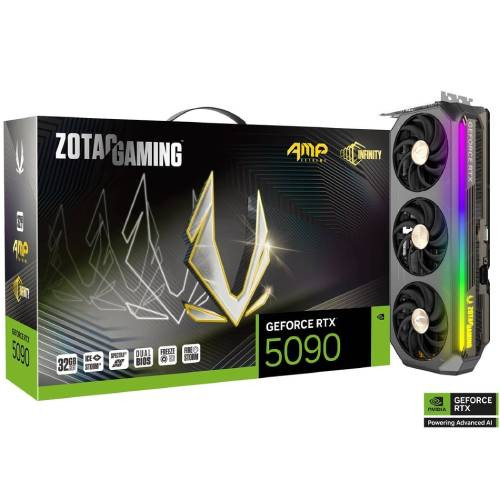 ZOTAC GAMING GeForce RTX 5090 AMP Extreme INFINITY
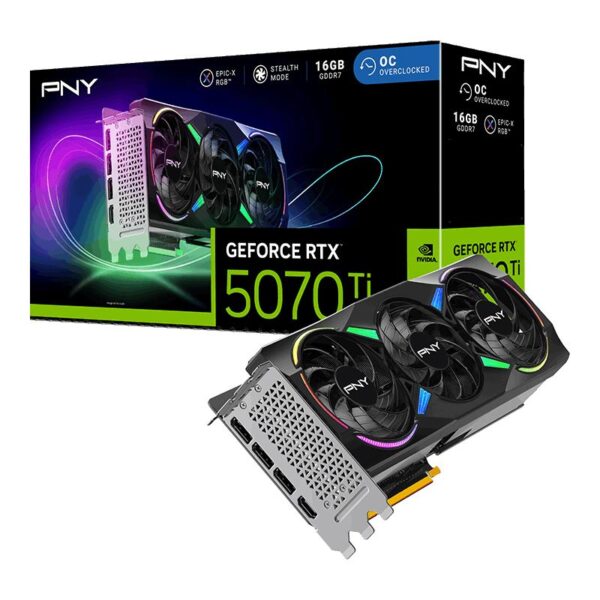 PNY GeForce RTX 5070 Ti 16GB ARGB EPIC-X RGB Overclocked Triple Fan
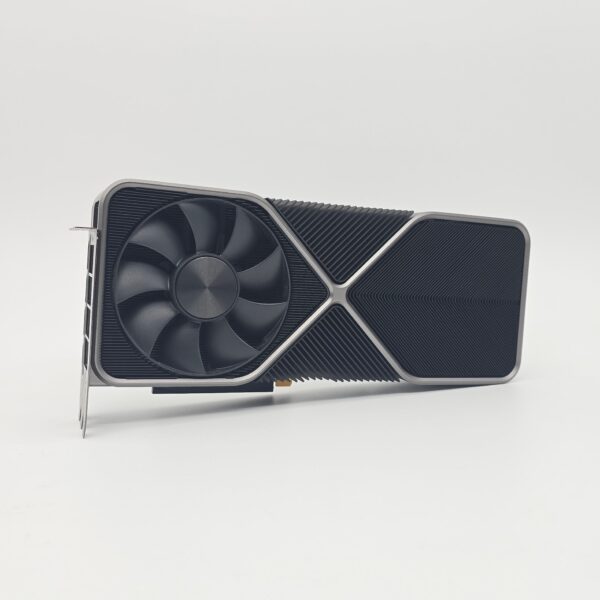 NVIDIA GeForce RTX 3090 Founders Edition 24GB
 Sapphire NITRO+ Radeon RX 7800 XT 16GB